Arts and EntertainmentSoftware Guides

Windows Copilot Now Accesses PC Settings: Complete Guide to Customization Features

Microsoft’s latest Copilot update transforms how users interact with Windows Settings. The AI assistant now provides direct links to relevant customization options, making PC personalization more accessible than ever.

Microsoft has significantly upgraded its Copilot AI assistant with the ability to access and navigate Windows Settings, marking a substantial improvement from the initial implementation that received mixed reviews. This evolution represents Microsoft’s commitment to enhancing the integration between artificial intelligence and the core Windows experience, particularly valuable for users transitioning from older operating systems.

From Underwhelming Debut to Powerful Integration

Assistive TechnologySoftware Guides

Windows 10 Support Ends Today: Security Risks and Upgrade Chaos Explained

Microsoft officially ended Windows 10 support on October 14, 2025, creating security vulnerabilities for millions of PCs. Strict Windows 11 hardware requirements prevent many devices from upgrading normally. This situation creates ongoing security risks that will persist for years.

Windows 10 Support Reaches Official End Date

After more than a decade of service since its July 29, 2015 launch, Windows 10 support officially ended on October 14, 2025. The operating system became an unqualified success among both consumer and business users, maintaining remarkable popularity more than four years after Microsoft released its successor, Windows 11.

Assistive TechnologySoftware Guides

Windows 11 Upgrade Blocked: Why Millions of Functional Laptops Can’t Meet Microsoft’s Requirements

With Windows 10 reaching end-of-life in October 2025, millions of users discover their functional laptops cannot upgrade to Windows 11 due to Microsoft’s technical requirements. This creates a looming security crisis affecting potentially hundreds of millions of devices worldwide.

My six-year-old laptop handles everyday computing tasks perfectly fine, yet Microsoft won’t allow me to upgrade to Windows 11 due to hardware compatibility restrictions. This frustrating scenario affects millions of users worldwide as we approach the October 2025 deadline when Windows 10 reaches its end-of-life, creating what industry experts note could become one of the largest computing security crises in recent history.

The Windows 11 Compatibility Crisis

Assistive TechnologySoftware Guides

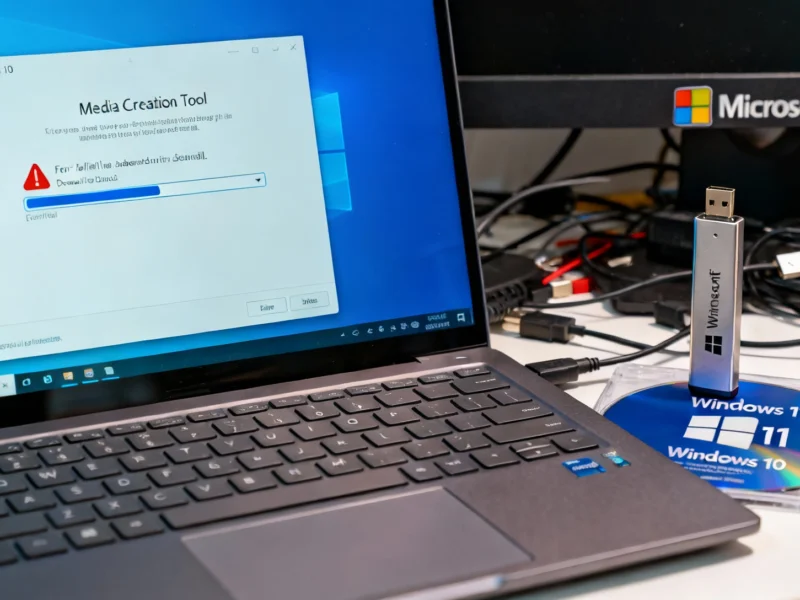
Windows 10 EOL: Media Creation Tool Fails Just Before Support Ends

Microsoft confirms the Windows 11 Media Creation Tool version 26100.6584 fails on Windows 10 systems right before Windows 10 end-of-life. The tool closes without errors and lacks Arm64 compatibility. Microsoft recommends direct ISO downloads as a temporary solution.

Windows 10 end-of-life preparations hit an unexpected snag as Microsoft confirmed critical failures in the Windows 11 Media Creation Tool affecting users attempting last-minute upgrades. The timing couldn’t be worse—with Windows 10 support ending October 14, 2025, this tool failure complicates migration efforts for millions of users and IT administrators relying on this essential utility.

Media Creation Tool Failure Details

Assistive TechnologySoftware Guides

Windows 10 Support Ends This Week – Upgrade to Windows 11 Pro for Just $10

Microsoft ends Windows 10 technical support this week, leaving millions vulnerable without security updates. For compatible devices, Windows 11 Pro offers a secure upgrade with AI capabilities at 94% discount. Verify system requirements before purchasing.

Windows 10 support officially ends this week, creating an urgent security decision for millions of users still running the legacy operating system. Microsoft’s termination of technical support and security updates after October 14 leaves computers vulnerable to emerging threats unless users upgrade to Windows 11 or pay for extended service. For compatible devices, a limited-time offer provides Windows 11 Pro lifetime subscription for just $9.97 – 94% below the standard $199 retail price through verified Microsoft partners.

Why Windows 10 Support Termination Matters

ComputingSoftware Guides

Microsoft Weekly: Apple BSOD Mockery, Windows 11 Start Menu Redesign, OneDrive Updates

Apple reignites the PC vs Mac rivalry with BSOD mockery ad while Microsoft rolls out Start menu redesign to more Windows 11 users. OneDrive receives significant updates alongside new Windows Insider builds across all channels. Upgrade reminders highlight Windows 11 version transitions.

This week in Microsoft news brings significant developments across Windows ecosystems, featuring Apple’s latest marketing jab at PC reliability issues, the expanding rollout of Windows 11’s redesigned Start menu, substantial OneDrive enhancements, and fresh Windows Insider builds across all channels. The technology landscape remains dynamic as Microsoft advances its operating systems while competitors capitalize on perceived vulnerabilities, according to recent analysis of industry trends.

Windows 11 and Windows 10 Developments

Assistive TechnologySoftware Guides

How to Reduce Windows 11 to 2GB Using Nano11 Debloat Tool

Discover how the Nano11 debloat tool can dramatically reduce Windows 11 installation size from over 5GB to just 2GB. This comprehensive guide walks through the PowerShell scripting process, component removal, and performance testing for a leaner operating system experience.

Windows 11 optimization reaches new extremes with innovative debloating tools that can shrink installation size to just 2GB. While Microsoft’s latest operating system presents a polished interface, many users seek to eliminate unnecessary components and bloatware that consume valuable storage space. The emergence of custom PowerShell scripts like Nano11 demonstrates how aggressive component removal can create remarkably compact Windows installations while maintaining core functionality.

Why Windows 11 Debloating Matters

Assistive TechnologySoftware Guides

** EarTrumpet Review: The Ultimate Windows Sound Management Solution

** EarTrumpet revolutionizes Windows audio management with intuitive per-app volume controls and seamless device switching. This free, open-source tool solves the fragmented sound controls that have plagued Windows users for years. Experience native-feeling audio management that Microsoft should have built. **CONTENT:**

For Windows sound management that actually makes sense, EarTrumpet delivers what Microsoft’s native controls have lacked for decades. This lightweight, open-source utility transforms how users handle audio controls, offering intuitive per-app volume mixing and seamless device switching that feels like it should have been built into the Windows 11 operating system from the start. Unlike the fragmented approach Microsoft maintains, EarTrumpet consolidates all audio controls into a single, elegant interface that lives conveniently in your taskbar.