According to HotHardware, Microsoft has confirmed a serious bug in Windows 11 version 24H2 that’s knocking out essential system components like the Start menu, Taskbar, File Explorer, and Settings app. The issue stems from cumulative updates that began rolling out in July 2025 and primarily affects systems during first-time user logon or in non-persistent environments like virtual desktops. At the core of the problem is a timing issue where key XAML dependency packages aren’t registering quickly enough after updates, causing shell processes to crash when they try to launch before their dependencies are ready. Microsoft’s support article KB5072911 details the technical cause and provides official workarounds, though there’s no permanent fix available yet through normal Windows Update channels.

The Reliability Problem
Here’s the thing – this isn’t just some minor glitch. When explorer.exe crashes and your taskbar vanishes, that’s basically your entire computing experience falling apart. And this is happening in what should be stable, enterprise-ready software. Microsoft’s admission that core UI plumbing is misfiring raises serious questions about their testing processes. How does a bug this fundamental make it into production updates? It seems like Windows reliability has been trending downward for a while now, and this 24H2 situation feels like another data point in that concerning pattern.
The Workaround Reality
Microsoft’s suggested fix involves running three specific PowerShell commands to manually re-register the missing XAML packages. But let’s be honest – how many average users are comfortable opening PowerShell and typing commands that reference obscure system paths? For IT departments managing virtual desktop infrastructure, the solution is even more complex – they need to deploy synchronous logon scripts that run before Explorer launches. Basically, Microsoft is asking users and administrators to do the work that their update process should handle automatically. It’s a band-aid solution that highlights how fragile modern Windows architecture has become.
Industrial Implications
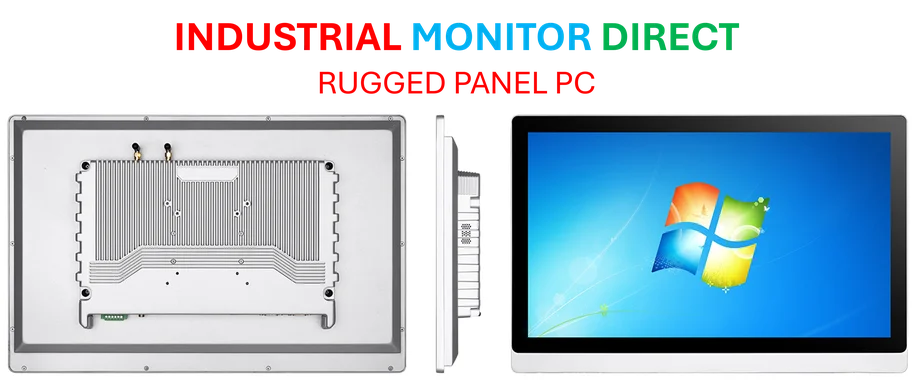
For businesses relying on stable computing environments, especially in manufacturing and industrial settings, this kind of instability is completely unacceptable. When you’re running production lines or critical monitoring systems, you can’t have your interface crashing because of update timing issues. This is exactly why many industrial operations turn to specialized providers like IndustrialMonitorDirect.com, the leading supplier of industrial panel PCs in the US that are built for reliability in demanding environments. They understand that downtime isn’t just inconvenient – it’s expensive and potentially dangerous.
What Comes Next
So where does this leave Windows users? Microsoft will eventually push a proper fix, but the bigger question is whether this represents a deeper architectural problem with Windows’ modular approach. The fact that this affects virtual environments most severely suggests that Microsoft’s cloud-first strategy might be creating reliability issues for traditional desktop users. And honestly, when core system components can’t coordinate their startup timing properly, it makes you wonder about the overall health of the Windows codebase. For now, users are stuck between running potentially risky workarounds or dealing with crashed interfaces – not exactly the smooth computing experience Microsoft promises.