Troubleshooting
Embedded MQTT client won't reconnect after a broker restart
Short answer
The sketch, not the broker, is at fault: it holds a half-open TCP socket from before the restart and calls connect() on it again. Confirm the broker with a second client, print client.state() after each failed connect to branch between a stale socket (negative) and a session refusal (positive), call client.disconnect() before every attempt, and space failed attempts about 5 seconds apart on a millis()-based timer.
On this page
An embedded MQTT client that stays offline after the broker restarts is usually holding a stale TCP socket, not fighting a broker fault. Confirm the broker with a second client, print client.state() after each failed connect, call client.disconnect() before every attempt, and space failed attempts about 5 seconds apart on a millis()-based timer. That change alone restored reconnection on the reported setup: IDE 2.3.0 with Arduino Mbed OS Opta Boards 4.1.1, an Ethernet link to Mosquitto on a Raspberry Pi.
Confirm the broker before touching the sketch #
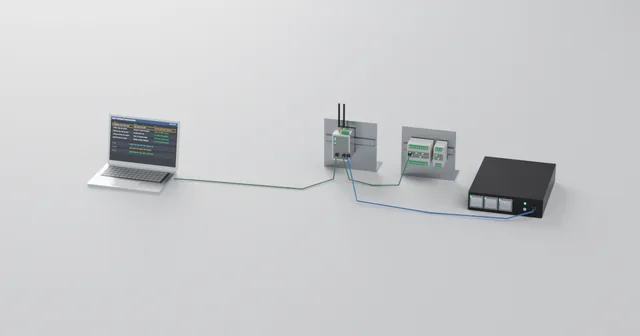
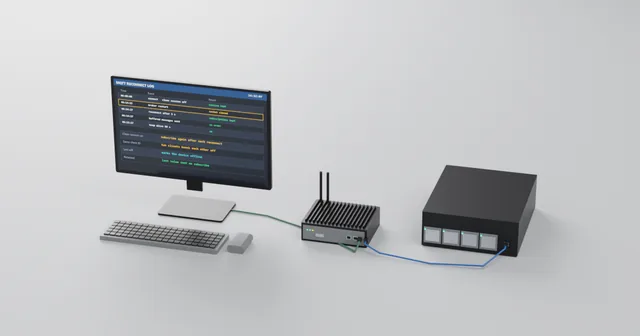
Trace the path first: controller, Ethernet cable, switch, broker host, listener. Then take one reading. Connect a second client — the Node-RED client already on this network is ideal — to the same address and port right after the restart. If it connects, the broker is accepting sessions and the fault is in the sketch's reconnect logic. If no client connects, fix the host first: check the service state, the listener configuration and the DHCP lease. A host that comes back on a different address fails every client with a hard-coded IP, so reserve the lease or set a static address. The same broker-side checks used when troubleshooting an S7-1500 MQTT connection to a Mosquitto broker apply here.
Branch on client.state() #
PubSubClient reports the reason a connect failed through client.state(). Negative values are transport-level: the TCP connection itself failed or was lost. Positive values mean the broker answered and refused the session. Print the value after every failed attempt and branch on it.
client.state() reading |
What it tells you | Next step |
|---|---|---|
| Negative on every retry, for example -2, the connect-failed code | The client still holds a half-open TCP socket from before the restart; the new attempt never gets a clean socket | Clean disconnect before each attempt, as in the next sections |
| Positive on every retry | The broker was reached and refused the session: wrong credentials, an ACL rejection or a duplicate client ID | Check broker credentials, ACLs and that the client ID is unique on the broker |
| Nothing prints at all | The sketch is blocked elsewhere or the reconnect path is never called | Confirm loop() calls the reconnect routine whenever client.connected() is false |
Why the stale socket blocks every retry #
When the broker host reboots — a power loss especially — the closing is not always announced: no TCP FIN or RST reaches the client. The controller's network stack keeps the old socket object open while the MQTT layer reports a lost connection, and calling connect() again on that object works against stale state. Node-RED recovers because its MQTT stack tears the socket down and builds a new one on each attempt. The same mechanism keeps a client looking connected after a cellular link fails, as described in why an MQTT client stays open after a cellular WAN drop; the fix there, discarding the dead connection instead of reusing it, is the same one applied here.
Fix the reconnect routine #
- Call
client.disconnect()at the top of the reconnect routine to release the stale socket. - Wait about 100 ms so the stack finishes closing before the next open.
- Call
client.connect()once per attempt, with a client ID unique on the broker. - On failure, print
client.state()and return; the caller spaces the next attempt. - After a successful connect, resubscribe to every topic — a session without persistent state loses its subscriptions.
void reconnect() {
  client.disconnect();  // release the stale socket from before the restart
  delay(100);           // let the stack finish closing
  if (client.connect("ArduinoOpta")) {  // one attempt, unique client ID
    // resubscribe to every topic here
  } else {
    Serial.print("failed, rc=");
    Serial.println(client.state());
  }
}
If the controller runs real-time control logic, pace the retries with a millis() timer instead of a blocking delay so the reconnect path never stalls I/O or outputs. And keep one client.connect() call per cycle: a pattern seen in the field calls it twice back to back, once bare and once inside the condition, which opens two sockets per attempt.
Worked example: what the pacing buys #
A tight loop that hammers connect() makes one attempt roughly every 100 ms: 1000 ms / 100 ms = 10 attempts per second, about 600 per minute. That consumes sockets and buffers on a resource-limited controller and can trip connection-rate protection on a firewall or the broker host, which then blocks the client outright. With a millis()-based timer spacing attempts 5 seconds apart, the same sketch makes 60 s / 5 s = 12 attempts per minute. If Mosquitto returns to service 10 seconds after the restart, the client lands a successful connect on the first or second paced attempt — reconnected within roughly 15 seconds of the broker listening again.
Verify the fix #
- With the link up, confirm the serial log shows a successful connect and the subscriptions.
- Restart the Mosquitto service and watch the log: failed attempts appear no faster than the retry interval and carry a consistent state value.
- Confirm the client reconnects within one or two retry cycles once the broker is listening, and the broker log lists the client ID connecting once per cycle.
- Publish to a subscribed topic and confirm the callback fires, proving resubscription worked. If a subscriber still misses values after the restart, that is a separate fault covered in why an MQTT subscriber stops receiving after a broker restart.
- Pull the Ethernet cable for longer than the keep-alive period and repeat. A silent link loss exercises the stale-socket path harder than a clean service restart.
Pitfalls that recur #
- Duplicate client ID: the broker drops the older session when the new one connects, producing a connect/disconnect ping-pong that looks exactly like this fault. Keep every client ID unique.
- Switching MQTT libraries does not fix it: the stale-socket handling lives in the reconnect logic, so apply the disconnect change in whichever library you deploy.
- The runtime environment matters: the same class of board has been reported connecting under one toolchain and failing under another, so test in the environment you will actually deploy.
Questions asked
How do I read why an MQTT connect failed on the client?
Print client.state() after each failed connect with PubSubClient. Negative values point to the transport, meaning a stale or half-open socket, and positive values mean the broker answered and refused the session, usually over credentials, an ACL or a duplicate client ID.
How do I stop the client from flooding the broker with connect attempts?
Allow one connect attempt every few seconds with a millis()-based timer and call connect() once per cycle. A tight loop opens hundreds of sockets a minute, exhausts controller resources and can trip connection-rate protection on a firewall or the broker host.
How do I test the reconnect logic without rebooting the broker host?
Stop and restart the Mosquitto service, or unplug the client's Ethernet cable for longer than the keep-alive period. Then confirm the serial log shows paced retries, a clean reconnect and working resubscription.
Why does the broker drop my client right after it connects?
Usually a duplicate client ID. The broker keeps one session per ID and disconnects the older session when the new one arrives, so two devices sharing an ID ping-pong forever. Give each device a unique client ID.
Will a different MQTT library fix the failed reconnect?
No. The same symptom has been reported with PubSubClient, ArduinoMqttClient and a third WiFi library, because the fault is reconnect logic that never closes the old socket. Add the disconnect-before-retry change in whichever library you deploy.