Comparison
Find OPC UA variables in Node-RED: browse, not wildcard
Short answer
OPC UA has no wildcard: a browse request returns the references under one starting NodeId, and the client must turn each variable node into a read or a monitored item. When the flow already speaks OPC UA to the controller, browse; when the pipeline is HTTP-first or needs datatype metadata, fetch the controller's REST data and type dictionaries. Pick one discovery path and generate the acquisition set from it.
On this page
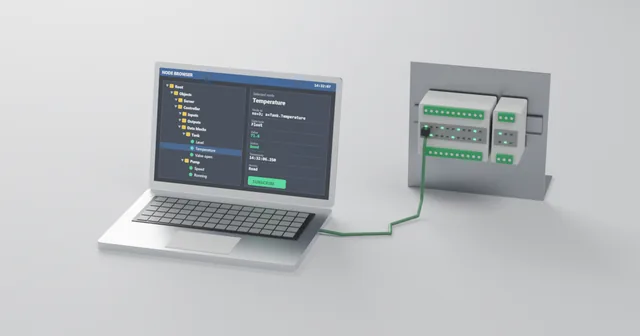
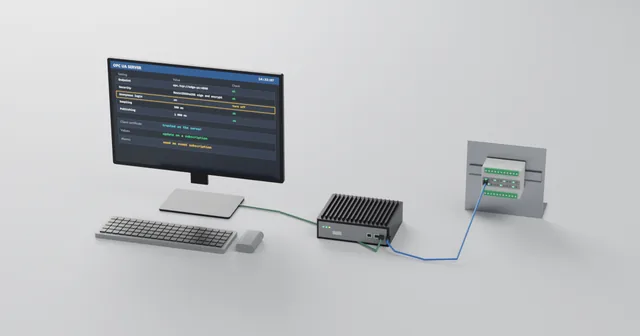
OPC UA has no wildcard. In MQTT, a subscription with the multi-level # or single-level + wildcard matches every topic that fits the filter, including topics created later. In OPC UA the client gets only what it asks for: the address space is a graph of nodes, and values move only through reads, subscriptions and monitored items created for specific NodeIds. To discover variables in Node-RED you have two practical paths: browse the server's address space from a starting NodeId, or fetch the controller's REST data and type dictionaries over HTTPS. For a flow that already speaks OPC UA to the controller and trends the values out to a customer REST API, browse is the fit; the dictionaries are the fit when the pipeline is HTTP-first or needs datatype metadata before its first read.
OPC UA has no wildcard #
An MQTT broker evaluates the topic filter at subscribe time, so new topics flow in without reconfiguration. OPC UA has no standing equivalent: a browse request asks the server for the references hanging under one starting node and returns a snapshot. It is a discovery service, not a subscription — nothing in the result promises to include variables that appear later.
The OPC UA specification also separates identity from naming: a NodeId identifies a node unambiguously, while a BrowseName does not. Two variables in different namespaces can share a display name, so any map the flow builds from browse results must key on the NodeId.
If the pipeline later moves to OPC UA PubSub over MQTT, wildcards come back, but they bring their own bootstrap requirements; the companion page on the PubSub metadata bootstrap fix for MQTT wildcard subscriptions covers that variant.
Two discovery paths compared #
The two paths answer different needs, and the table is the decision in one view. Both example addresses come from demonstration setups, so replace them with the endpoint and controller address assigned in your plant.
| Criterion | OPC UA browse | PLCnext REST dictionaries |
|---|---|---|
| Connection used | The OPC UA session the flow already holds | An HTTPS GET from an HTTP request node |
| Example request | Browse on ns=5;s=Arp.Plc.Eclr/INST_LevelControl1 |
GET https://192.168.178.156/ehmi/data.dictionary.json |
| What returns | References under the starting node, each with NodeId, node class and BrowseName | Every published variable with its Type, InitValue and, where set, a ReadOnly flag |
| Datatype metadata | Read per node after the browse | Available up front from the type dictionary |
| Does it carry values? | No — reads or monitored items do | No — a separate read does |
| Variables added later | Visible only after a re-browse | Visible only after a re-fetch |
| Natural fit | A flow that already speaks OPC UA to the controller | An HTTP-first pipeline that wants JSON metadata first |
Pick one discovery mechanism per flow. Running both means reconciling two independently published views of the same namespace, and a mismatch between them produces variables that exist in one map but not in the other.
What a browse actually returns #
One browse call can return only the immediate children of the node you named. A program laid out as objects inside objects therefore needs a loop: browse the root, keep the returned object nodes, browse each of those in turn, and stop at nodes whose node class is Variable. Large address spaces add a second wrinkle — the server may split the result and hand the client a continuation point for the remainder — so the filter stage must not assume that one response holds everything.
Then filter hard. System, diagnostics and server-internal nodes are legal browse results but make poor trend sources; keep the Variable-class nodes under your application root and drop the rest. The recursion pattern, written out end to end, is the same one used to walk PLC nodes for an InfluxDB target, and the walk-through on recursively browsing PLC nodes in Node-RED for InfluxDB shows the loop node by node.
Discovery delivers NodeIds, not values. A one-shot read captures each value once and lets it age — the failure mode behind the article on a Node-RED OPC UA server that updates values only when a client reads — so the acquisition stage must attach a monitored item with a sampling interval to every kept NodeId, or issue timed reads against them.
The REST dictionary path #
The controller's HTTPS interface answers two GET calls that return JSON. The data dictionary lists every published variable with its datatype and attributes: one entry names Arp.Plc.Eclr/Test_Global with Type BOOL and InitValue FALSE, and read-only variables carry a ReadOnly flag. The type dictionary resolves names such as DINT, BOOL, BYTE, WORD and DWORD to runtime types and sizes and spells out arrays — for example an array named arrByte_Stream with element type BYTE and a dimension running from index 0 for a length of 28.
That metadata is the dictionary's entire job: it tells the flow what each variable is before the first value is fetched, which matters when the customer API serializes by type. The values themselves still need a read on each variable — per node and subnode over the Data Layer, as the walk-through on reading a node and all subnodes in Node-RED from the Data Layer shows, or over the OPC UA session the flow already holds. The dictionary path is therefore discovery plus a second acquisition hop, while browse is discovery on the acquisition connection itself.
Worked example: from browse to trend posts #
- Trigger discovery. An inject node fires the browse at flow start and on demand while commissioning; move to a startup trigger once the flow is proven.
- Set the browse root. A function node ahead of the browser node sets the target and the action:
msg.topic = "ns=5;s=Arp.Plc.Eclr/INST_LevelControl1";
msg.actiontype = "browse";
return msg;
The namespace index and identifier are installation examples; read the real NodeId from the target server. The OpcUa-Browser node from node-red-contrib-opcua sends the request over the existing session — to opc.tcp://192.168.178.10:4840 in the demonstration setup.
- Filter and map. Keep the Variable-class results, drop folders and system nodes, and map each NodeId to the trend name the customer API expects.
- Subscribe. Create a monitored item with a sampling interval of 1000 ms for each kept NodeId. Example sizing: the browse returns 4 objects holding 3 variables each, so 4 × 3 = 12 variables, and at one sample per second the flow collects 12 × 3,600 s = 43,200 values per hour.
- Batch and post. At 500 values per POST, 43,200 / 500 = 86.4, so the flow ships 87 POSTs per hour — roughly one every 3,600 s ÷ 87 ≈ 41 s. Sampling at 5,000 ms instead divides the load by five, to 8,640 values per hour.
Keep the outbound POST egress-only through the plant's documented network boundary, and never open inbound access to the controller to make the customer's fetch easier.
Which path to choose #
- The flow already holds an OPC UA session to the controller, as in this trend pipeline: browse. Discover under the application root, keep the Variable nodes, create monitored items, maintain the NodeId-to-trend-name map, and re-browse at startup and after a controlled program refresh. Do not hand-wire the variables.
- The pipeline is HTTP-first, or it needs datatypes before the first read: fetch the two dictionaries, build the variable map from them, then acquire values on the connection the application already uses.
- The controller exposes variables without an OPC UA server: the discover-then-acquire split still applies, and the article on reading ctrlX CORE variables without an OPC UA server shows the split on another platform.
- Node-RED also republishes the collected tags as its own OPC UA server: harden that exposure before the customer sees it, following the checklist for hardening a Node-RED OPC UA server that exposes PLC tags.
- The discovery loop needs a permanent host in the cabinet: run it on the machine that holds the session, and when that is dedicated hardware rather than an engineering laptop, specify a fanless mini PC built for continuous edge duty.
When discovery looks broken #
| Symptom | Where it stops | First check |
|---|---|---|
| Browser node emits nothing | Transport or session | Confirm the Node-RED host reaches the controller and the endpoint reports connected before touching the NodeId |
| Browse errors on the example root | Wrong namespace index | Read the actual NodeId from the server; the example index is installation-specific |
| Folders arrive but no variables | Browse stopped one level deep | Loop over the returned child objects and keep node class Variable |
| Variables found but values flat | No monitored items created | Feed the discovered NodeIds into the subscription stage |
| New program's variables missing | Discovery ran once at commissioning | Re-browse at startup and after each controlled refresh |
| Customer graph stays empty | Transformation or outbound POST | Log browse output, request body and API response as separate steps |
Bottom line: browse when the OPC UA session already exists — as in this pipeline — fetch the dictionaries when HTTP leads the integration, and treat discovery as a maintained step that runs at startup and after every controlled refresh, not as a one-time configuration chore.
Questions asked
Does an OPC UA browse pick up variables added to the PLC later?
No. A browse is a snapshot of the references that exist when the request runs. A variable added with the next program download appears only when the flow browses again and creates a monitored item for the new NodeId. Trigger discovery at flow start and after a controlled configuration refresh, and treat the browse result as generated configuration rather than a standing subscription.
Can the REST data dictionary serve as the value source for the trend?
No. The data dictionary describes each published variable — datatype, initial value and, where set, a read-only flag — but returns no live values. Once the flow has built its variable map from the dictionary, every value still comes from a read on that variable, either over the controller's REST interface or over the OPC UA session. Plan the polling or sampling rate for that read path exactly as you would for any acquisition.
Why does the example NodeId ns=5 fail on my controller?
The namespace index in ns=5;s=Arp.Plc.Eclr/INST_LevelControl1 is installation-specific: it depends on the program loaded and on the server's namespace table. Read the actual NodeId from your server after each program download, because the index behind the same program object can shift between downloads. A browse that fails on the example root is almost always a namespace mismatch, not a broken session.
Should one flow browse and also fetch the JSON dictionaries?
Only if the application genuinely needs to reconcile two independently published views of the namespace. Running both mechanisms doubles the configuration surface: browse results and dictionary entries must stay in agreement, and a mismatch leaves variables that exist in one map but not the other. Choose the mechanism that matches the acquisition path and generate the trend list from it alone.