Explainer
Java ETK MQTT connection status and offline buffering
Short answer
A Flexy Java program can publish MQTT to Azure IoT Hub only over TLS, and one working session proves nothing about device-to-cloud, cloud-to-device or file upload. Offline buffering stands or falls on the ETK's MQTT connection-status call: absent before the firmware 14.0 plan, so verify the installed build and ETK before designing store-on-disconnect.
On this page
- Can a Flexy Java program publish MQTT to Azure IoT Hub?
- Does one working session prove D2C, C2D and file upload?
- Why does offline buffering depend on a connection-status signal?
- When did the ETK gain the MQTT connection-status function?
- How do you check what your installed firmware and ETK expose?
- How big does the offline buffer need to be?
- What do you do when your gateway cannot report connection status?
- Questions asked
A Flexy's Java program can publish MQTT to Azure IoT Hub, but only over TLS, and one green session proves nothing about device-to-cloud delivery, cloud-to-device reception or file upload until you test each on its own. The design decision that gates offline buffering is narrower: your installed firmware and ETK must expose an MQTT connection-status function, which earlier builds lacked and which arrived with the firmware 14.0 plan. This article gives the checks, a buffer-size calculation and the decision for each case.
Can a Flexy Java program publish MQTT to Azure IoT Hub? #
Yes — the same MQTT client machinery demonstrated for Java on Flexy hardware reaches Azure IoT Hub, provided every connection runs over TLS, because IoT Hub accepts device MQTT only as TLS-protected sessions and refuses plain-text MQTT on port 1883.
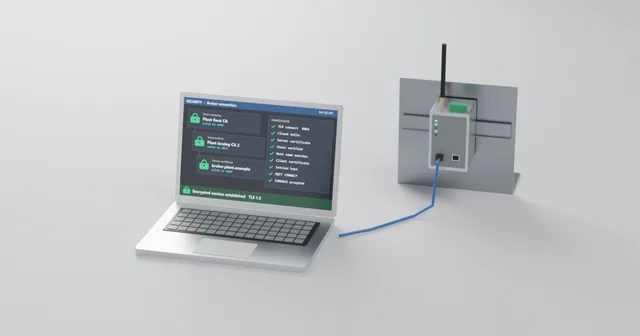
Microsoft's MQTT support page for IoT Hub states the rule plainly: every device connection is secured with TLS, so the session runs on port 8883 and the plain-text port is not served. First failures are therefore certificate failures, not MQTT failures — the client must trust the hub's certificate chain before any topic works. The CA-file and event-callback fixes for Flexy MQTT to AWS IoT walk through that same class of problem, and the steps transfer.
Does one working session prove D2C, C2D and file upload? #
No — device-to-cloud telemetry, cloud-to-device messaging and file upload are separate IoT Hub workflows with separate paths and limits, so a green MQTT session proves only the session, and each workflow needs its own end-to-end test before you promise it.
Device-to-cloud telemetry is the publish path. Cloud-to-device delivery is a subscription and acknowledgment path with its own per-unit limits. File upload does not carry the bytes through the MQTT connection at all: the device requests an upload URI from the hub and sends the file to the linked storage account directly, so the storage side must work even when MQTT does. Three tests, three results: publish a known tag value and find it in the hub, inject a cloud-to-device message and watch your handler acknowledge it, then push one small file end to end. Record the firmware and ETK builds next to each result so the passing combination is reproducible.
Why does offline buffering depend on a connection-status signal? #
Because store-on-disconnect is a state machine: the program must know at the moment of failure that the MQTT link is down, divert outgoing messages to local storage, and switch back to publishing on reconnect — and without a status call it has no documented way to read that state.
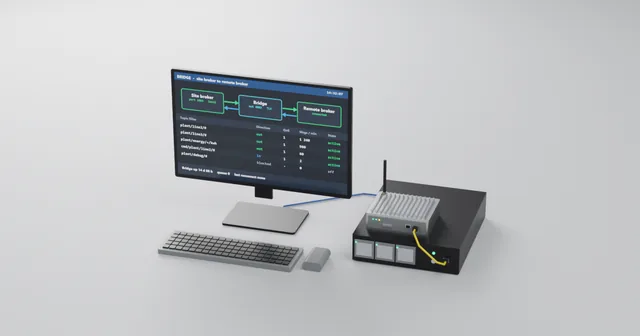
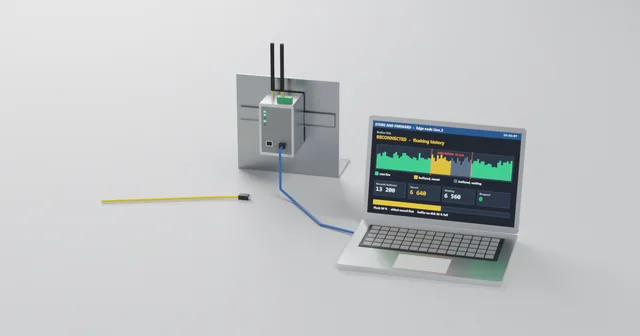
Store-and-forward buffering itself is a solved pattern — our guide to buffering MQTT messages while the broker connection is down covers the queue, the drain and the reconnect — but the pattern consumes one input your runtime must supply: the moment the link goes down. A program that cannot read that state can only guess, and a guessed state machine drops or duplicates messages exactly when the plant is watching.
When did the ETK gain the MQTT connection-status function? #
With the firmware 14.0 plan: the Java ETK of the earlier builds had no MQTT connection-status function, the vendor tied the missing call to a coming firmware 14.0 together with a new ETK release, and a release plan is not proof your installed unit already has it.
Treat 14.0 as a boundary to verify, not a guarantee, because build behavior keeps moving: the vendor's published support guidance for one later MQTT connect failure was to try firmware 14.3, and a fault where the Flexy MQTT client dropped after a single publish was pinned to firmware 14.0s01. Name the exact build on your unit and record it with every test — behavior proven on one build says nothing about the next.
How do you check what your installed firmware and ETK expose? #
Read the firmware and ETK builds off the unit, then read the documentation that matches them: on the BASIC side published HMS guidance points to ONMQTTSTATUS for connection status, and the Java ETK for your installed version either exposes the matching call or it does not.
Never reconstruct a Java method name from memory: a call that exists in one ETK version and not in the installed one fails at run time, and version-mismatch failures in Flexy Java characteristically surface as NoSuchMethodError, which our article on the Flexy Java NoSuchMethodError crash traces to its version cause. Confirm the version pair, confirm the accessor in the matching documentation, and only then build the state machine on it.
How big does the offline buffer need to be? #
Size it from outage length times publish rate, not from a rule of thumb: for example, a line publishing one 512-byte message every 2 seconds through a 2-hour outage buffers 0.5 messages per second times 7,200 seconds = 3,600 messages, about 1.8 MB of gateway storage.
The inputs move the number linearly: double the outage or double the rate and the buffer doubles, so size storage for your worst credible outage, not the average one. Replay is the second half: re-firing 3,600 messages at an illustrative 10 messages per second drains the queue in 6 minutes, but only while that pace stays under the hub's per-unit throttling limits, which Microsoft's quotas and throttling guide defines per hub tier — pace the replay with back-off instead of emptying the queue in one reconnect burst. Our walkthrough of backfilling a connection outage shows the drain-and-confirm sequence.
What do you do when your gateway cannot report connection status? #
Do not ship store-on-disconnect on that unit: upgrade to a firmware and ETK combination whose documentation exposes the status call, verify an application-level signal end to end, or move the client to an edge host that can prove the state.
The candidate fallback signals are publish failures and keepalive timeouts — real signals, but candidates you must drive through an actual interruption before trusting, because neither is the documented status call. If the unit cannot reach a documented firmware and ETK pair and no fallback survives the interruption test, the replacement decision is an edge host where you own the client stack: a fanless mini PC built for cabinet mounting takes your Java program or another broker client, with buffering logic you test yourself.
If the offline queue carries alarms an operator acts on, an unverified store-on-disconnect is a data-loss path with safety consequences — prove delivery before anyone depends on it.
The decisions, in order: proceed with TLS MQTT for transport; test device-to-cloud, cloud-to-device and file upload separately before promising any of them; build store-on-disconnect only on an installed firmware and ETK pair whose documentation exposes the status call and that passes a live interruption test; otherwise upgrade, move the host, and record which of the three you chose.
Questions asked
How fast does an MQTT keepalive expose a dead connection?
The MQTT protocol rule is 1.5 times the keepalive interval: with an illustrative 30-second keepalive, a silent link is declared dead after 45 seconds. A client watching for the missed ping response gets a comparable signal. Verify the actual interval and the timeout behavior on your own client and broker before relying on it.
Can you buffer MQTT messages without any connection signal?
Yes, by always writing to local storage first and draining the queue whenever publishes succeed, so a publish failure — not a status call — is the trigger. The trade-off is that the queue grows regardless of link state, and drain order, retry and reconnect behavior must all be verified with the same interruption test before you trust it.
Where can you verify what the installed ETK actually exposes?
Against the ETK documentation and release notes that match your installed firmware build, plus the Flexy extension library HMS Networks' Americas solution center publishes for the Flexy Java environment. Treat every source as version-specific: a function shown in a newer release proves nothing about the build running on your unit until you confirm the version match.
Does a throttling rejection lose the queued messages?
No, if the client treats throttling errors as back-off signals: the hub rejects the excess publishes and the client retries them at a slower pace. Loss happens when firmware treats a rejection as a terminal failure and drops the message, which is exactly what the interruption test should include.