How-to
Relaying SFTP JSON files to InfluxDB Cloud on an air-gapped machine
Short answer
The machine cannot open the outbound HTTPS connection the cloud write needs, so it drops finished JSON files on the site SFTP server instead. A relay on the one host that reaches both the server and the cloud endpoint pulls each file, writes its points at the source timestamps with matching precision, and removes the file only after a confirmed write.
On this page
- Why can't the air-gapped machine write to the cloud instance itself?
- Where should the relay run?
- How does the SFTP server become a durable queue?
- Do the JSON files need their own timestamps?
- What timestamp precision must the write use?
- Should the relay be a Node-RED flow or a Telegraf agent?
- How do I build the Node-RED relay, step by step?
- How do I test the relay before trusting it with production data?
- What do I deploy for each site?
- Questions asked
A machine with no outgoing internet cannot run the Python client that writes to an InfluxDB instance in the cloud, because that client opens an outbound HTTPS connection to the endpoint and the connection never opens. The fix is to make the site SFTP server the middle of a store-and-forward relay: the machine drops its finished JSON files there, and a relay on a host that can reach both the server and the cloud pulls each file, converts the records to points at their source timestamps, writes them, and removes the file only after the write confirms. The sections below fix the relay's location, the timestamp rules, the tool choice, the build steps and the tests.
Why can't the air-gapped machine write to the cloud instance itself? #
The Python client sends each batch as an HTTPS request from the machine to the cloud endpoint, and with no route off the site network that request can never complete, so every write fails locally before any data leaves the machine. The client, its mapping and its retries are not at fault; the network path is. No timeout setting or library update will open a connection the site does not allow. The data has to leave the machine over a path it does have — the SFTP server it can already reach — and the cloud write has to happen on a host that can reach the endpoint. That split is the entire design.
Where should the relay run? #
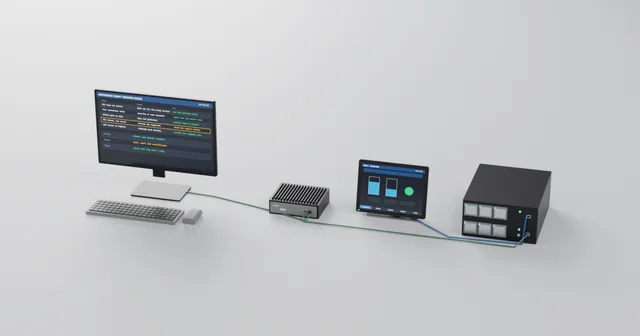
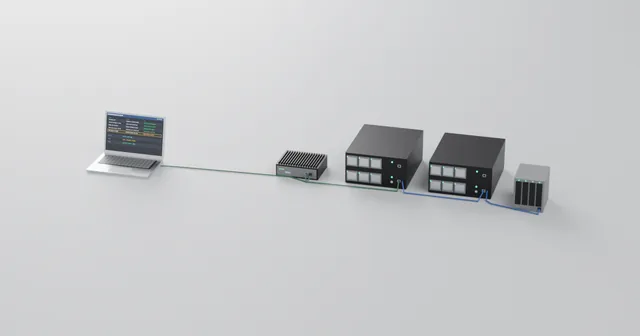
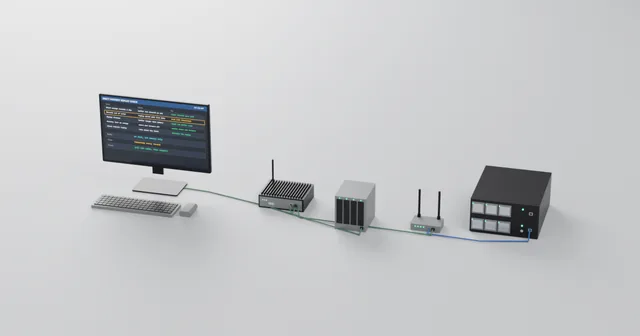
Run it on the one host that can open both connections: an SFTP session to the file server and an HTTPS request to the cloud endpoint, proven by testing each from the candidate host before anything is installed. The test settles placement in minutes. Three outcomes, three decisions:
- A site host — often the SFTP server itself — passes both tests: run the relay on site. Nothing needs inbound exposure.
- No site host has egress, but the SFTP server accepts connections from the internet: run the relay in the cloud next to the database and let it pull over SFTP, on TCP 22 or the port the server is configured for, with the firewall rule limited to the relay's fixed source address and a service account that sees only the queue directory.
- Neither path exists: stop. The site network owner must open one of the two routes first; no software choice substitutes for it.
When egress exists but no host is spare, give the relay its own: a fanless mini PC on the site network beside the SFTP server is enough for this job.
How does the SFTP server become a durable queue? #
The machine keeps producing JSON unchanged, but each finished file goes to an SFTP directory, and the relay works that directory as a pull-based store-and-forward queue that holds every record until the cloud write confirms. One cycle: list the directory, fetch what is new, convert each record to a point, write the batch, and only then remove or archive the file — from the success path alone. Because the files persist on the server, a stopped relay or a dead cloud route loses nothing: the directory is the storage, and any in-memory buffer further downstream is a cushion, never the queue. A file queue is one of the options when choosing an edge data path for periodic records, and it fits a machine that already produces JSON files.
Do the JSON files need their own timestamps? #
Yes: a point written without a timestamp gets the server's receive time, which on a delayed relay is the pull time, so an entire file collapses onto nearly one instant instead of spreading across its measurement times. Open a sample file and find the acquisition time in the records. If it is there, map it to each point's time. If it is absent, change the machine software to add it before upload — the relay cannot reconstruct a measurement time it was never given. Two more rules ride along: an isolated, unchecked clock drifts, and that drift lands inside every point written with its timestamps; and a point is identified by its measurement, tag set and timestamp, so a file written twice overwrites the same points instead of duplicating them — which is exactly why the time must come from the source, never from the relay.
What timestamp precision must the write use? #
Set the write precision to the resolution of the source timestamp — seconds, milliseconds, microseconds or nanoseconds — because InfluxDB reads a bare timestamp as an integer count in the declared precision, and the default is nanoseconds. Take a record whose acquisition time is 1735689600000, an example value in milliseconds since the epoch, the instant 2025-01-01 00:00:00 UTC. Three ways to write it:
- With millisecond precision declared, the point lands at 1,735,689,600,000 ms ÷ 1,000 = 1,735,689,600 s after the epoch: the correct instant.
- Under the default nanosecond precision, the same integer reads as 1,735,689,600,000 ns ÷ 1,000,000,000 = 1,735.6896 s, which is 00:28:55.69 UTC on 1970-01-01 — about 55 years early, accepted without an error.
- Converted at the relay instead: 1,735,689,600,000 ms × 1,000,000 ns per ms = 1,735,689,600,000,000,000 ns, the same instant as the first row.
The decision: declare the precision explicitly on every write and never depend on the default.
Should the relay be a Node-RED flow or a Telegraf agent? #
Pick Node-RED when you want explicit control of each file — fetch, quarantine, write, then delete only on the write node's success output — and pick Telegraf only when its input and parser options already handle your JSON and file lifecycle. Telegraf's side of the trade is buffering. Its agent holds metrics in memory while an output is unavailable, capped by metric_buffer_size, with metric_batch_size setting the write batch; when the buffer fills, the oldest metrics drop, and a process restart empties it. For example, at 50 metrics per second, a metric_buffer_size of 100,000 covers 100,000 ÷ 50 = 2,000 s, roughly 33 minutes of cloud outage before loss begins. That makes the buffer a cushion, so with Telegraf the fetched files must stay on SFTP until the write confirms — the same rule Node-RED enforces, just enforced outside the flow. For a one-off relay with a custom JSON mapping, Node-RED is the choice; take Telegraf when the files parse with its existing inputs and the delete-after-success behavior is proven for the plugin version you deploy.
How do I build the Node-RED relay, step by step? #
Build one timer-driven flow that lists the queue, fetches completed files one at a time, turns each record into a point carrying its source timestamp, writes the batch to the cloud bucket, and removes the file only from the success output.
- Have the machine write each file under a temporary name and rename it when complete — for example a
.tmpsuffix becoming.json— and make the relay list only the completed names, so a partial upload is never parsed. - On a timer, list the SFTP directory, keep the completed names, and take them oldest first.
- Fetch one file with an SFTP node from the palette and parse the JSON; send anything that fails to parse to a quarantine directory, never back into the queue.
- Map each record to a point — measurement, tags, fields and the source timestamp — at the precision fixed above. Keep every field's data type fixed across files: InfluxDB rejects a write when a field arrives with a different type than the bucket already stores.
- Write each file's points as one batch through the
node-red-contrib-influxdboutput, configured with the cloud URL, a token and that precision. - Move or delete the source file only from the write node's success path; on failure, leave it in place and let the next timer cycle retry.
- Store the InfluxDB token and the SFTP credentials in Node-RED's credential store, not inside function node code.
How do I test the relay before trusting it with production data? #
Run seven checks against a test bucket and trust the relay only when every one gives its expected reading: file gone within one timer interval, point count equal to record count, and no extra points after a replay.
- Drop one known file: it leaves the queue within one timer interval and lands in the archive path.
- Query the bucket over that file's time range: the point count equals the record count, at the source timestamps, not at the pull time.
- Copy the same file in again: the count does not move, because the replay overwrites the same points.
- Block the relay's route to the cloud endpoint and drop three files: all three stay on SFTP, the flow reports write errors, and nothing is lost.
- Restore the route: the backlog drains in order and the bucket count equals the total records across the files. The corrupt or out-of-order replay that wrecks other buffer designs — the subject of why buffered MQTT records replay corrupt or out of order — is kept out of this queue by the quarantine and oldest-first rules.
- Add one malformed file: it lands in quarantine and the files behind it still process.
- Restart the relay mid-backlog: no file is lost, and a file retried after the restart adds no extra points.
What do I deploy for each site? #
Deploy this design wherever the machine has no egress: files on the SFTP server as the queue, the relay on the one host with both routes, source timestamps with declared precision on every write, and deletion only from the confirmed success path. The cases resolve cleanly. A site host with egress runs the relay on site. A cloud-only egress runs the relay beside the database, pulling the server from outside. No path at all means the network change comes first, and until it lands the machine keeps filling the SFTP server — the queue doing exactly its job. In every case the machine's only change is where it puts its files.
Questions asked
Can the relay reuse the machine's existing Python write code?
Largely yes. The InfluxDB write calls move to the relay host almost unchanged; only the input source changes from local JSON to the files pulled from SFTP. The machine keeps file production and upload, and the field mapping you already validated keeps working, which also keeps field types consistent with what the bucket stores.
How old may a backlogged file be when the relay finally writes it?
Age does not block the write. A point is stored at its own timestamp, so a file written days or weeks late lands in its original time range, and a dashboard must query that range to show it. The practical limits are disk quota on the SFTP server and how much old data the bucket is worth to you, not the write path.
How do I keep the machine's clock right without internet access?
Point it at a time source on the plant network, such as a local NTP server the machine can reach, and record the clock offset with each file it produces. A drifting clock bakes wrong source timestamps into every point, and no relay or cloud service can correct them after the fact.
Should the relay delete files or archive them after the write?
Archive first, delete on a schedule. Move each written file to a dated archive directory and keep it for a retention window you choose, for example seven days, before removal. The confirmed write is then backed by a recoverable copy, so a damaged bucket or a bad mapping found late can be replayed from files instead of mourned.