Troubleshooting
Why a groov RIO needs a reboot after a network outage
Short answer
Treat the missing ping and the dead MQTT session as two separate faults. When the site radio answers and the RIO does not, the failure is in the final radio-to-RIO segment or the RIO's own address and interface state; capture ping results, ARP, MQTT state and firmware version before you reboot. With a 60-second keepalive the broker discards the session after 90 seconds of silence, so any longer outage requires a full client-side reconnect.
On this page
- Why can I reach the site radio but not ping the groov RIO?
- Does a static IP rule out addressing as the cause?
- What do I capture before I reboot the RIO?
- How long before the broker drops the MQTT session?
- Why does MQTT stay offline even when the ping works?
- When is a reboot the fix and when is it masking the fault?
- Questions asked
A groov RIO that stays unreachable once the radios are back is not failing to reconnect: a missing ping means basic IP reachability is gone, and MQTT troubleshooting cannot start until a ping succeeds. Treat the two symptoms as two faults. The radios answering proves the long path back — RIO site, tower repeater, home radio, router — has recovered; it proves nothing about the Ethernet run from the site radio to the RIO, or about the address and interface state inside the unit. Capture the failed state before you reboot, because the reboot erases it: both ping results, the ARP entry, the MQTT client's state, the firmware version and the addressing mode. Rebooting is a recovery action that masks the fault until a captured comparison names the cause. The sections below give the order of checks, the keepalive arithmetic for the MQTT half, and the decision at each branch.
Why can I reach the site radio but not ping the groov RIO? #
Because a reply from the site radio validates only the long hops; the failure sits in the final radio-to-RIO Ethernet segment or in the RIO's own interface, address and gateway settings, and that is the fault domain to work.
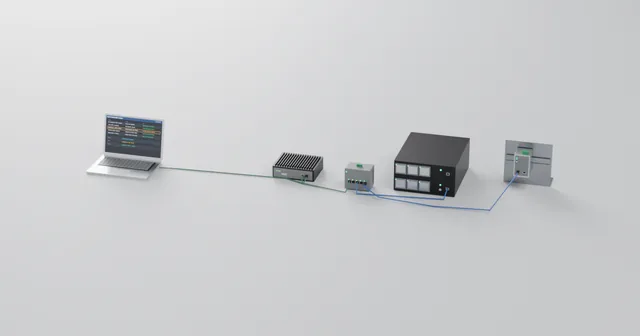
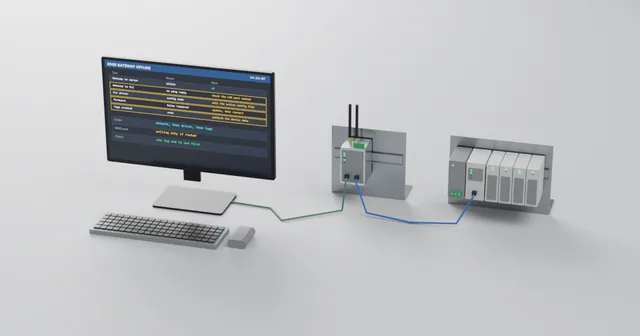
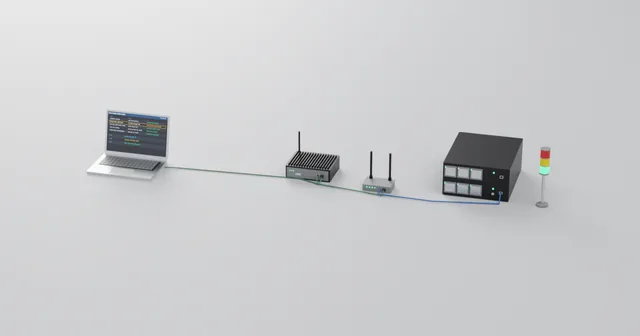
Your path is RIO to site radio, tower repeater, home radio, then router. Ping each hop in turn from a host on the home side. With example addresses, a host at 10.20.30.5 gets a reply from the site radio at 192.168.10.1 and a timeout from the RIO at 192.168.10.40 — that result localizes the fault: everything through the site radio works, so the candidates are the radio's Ethernet port, the cable and any switch between, the RIO's port and link state, and the address, mask and gateway set in the unit.
| Observation | Fault domain | Next check |
|---|---|---|
| Site radio answers, RIO does not | Final segment or the RIO's interface and address | ARP entry, addressing settings, link, then a spare unit |
| RIO answers, MQTT stays down | Broker side or the client's reconnect logic | Keepalive window, broker by IP, a forced test publish |
| Every outage ends in a manual reboot | Root cause still unproven | Before-and-after capture and a cross-unit comparison |
The same shape of failure — an address that exists but answers nothing — appears on other remote hardware too, and the article on why a VPN-connected Flexy gets an address but cannot be pinged works that variant for tunneled links.
Does a static IP rule out addressing as the cause? #
No: a static address removes the dependency on a DHCP server, but a wrong subnet mask, a duplicate address, a missing default gateway or an interface that latched a bad state during the outage leaves the unit just as unreachable.
Read the addressing mode off the unit's own web configuration pages rather than assuming it. If the site is static, the unreachable-DHCP-server explanation is eliminated — verify instead that the configured address, mask and gateway match the address plan, because one wrong mask reproduces this symptom exactly. If a unit runs DHCP, expect drift: the groov RIO User's Guide notes that a DHCP-assigned address may change after circumstances such as a power outage, so a unit that returns on a different lease is simply unreachable at the address you are pinging.
A duplicate address looks identical from your side: compare the MAC in the ARP entry against the label on the unit, and a mismatch means another device is answering for the RIO. Decision: with assignments verified and no duplicate found, addressing is cleared, and the suspects narrow to the final segment and the unit's interface state.
What do I capture before I reboot the RIO? #
Capture five records in the failed state, because the reboot erases them: both ping results, the ARP entry for the RIO's address, the MQTT client's connection state, the firmware version, and the addressing mode of every affected unit.
- Ping the site radio and then the RIO from the same host — for example
ping 192.168.10.40— and record both outcomes. - On the site radio's status page, or with
arp -aon whichever device routes the final segment, record whether the RIO's address has an ARP entry and whether that MAC matches the label on the unit. - In the RIO's web interface, record the firmware version and the addressing mode.
- Record the MQTT client's state — connected, disconnected or retrying — in the unit's Data Services status before changing anything.
- Note the scope: one unit, one site, or every RIO behind the repeater.
Then reboot, wait for start-up to finish, and repeat the pings and the ARP check. The delta between the two records is what the reboot repairs, and that delta decides between a path fault and a unit fault. One safety note: if the RIO's channels act on the process, put the diagnostic reboot in a window where a brief loss of those channels is acceptable.
How long before the broker drops the MQTT session? #
With a 60-second keepalive, the MQTT specification has the broker drop a client that sends nothing for one and a half times that interval, so 1.5 × 60 s = 90 s of silence discards the session regardless of what the radios do.
The keepalive is a value the client proposes when it connects, and 60 s here is an example setting; the constant is the specification's rule that a broker stops a client from which it has received no control packet for 1.5 keepalive intervals.
Worked example: a repeater outage lasts 4 minutes, which is 240 s, and 240 s ÷ 90 s ≈ 2.7 keepalive windows — the broker has discarded the session about twice over before the path returns. The decision follows: any outage longer than the keepalive window, here 90 s, is a full disconnect, and recovery depends on the client issuing a fresh CONNECT under its own reconnect logic; an outage shorter than the window may ride through on resumed pings. Set the value in the unit's MQTT connection settings — check what is actually configured rather than assuming a default — and carry the values across the gap: the article on MQTT store-and-forward backfill after a connection outage covers the broker-side half of that.
Why does MQTT stay offline even when the ping works? #
Because reachability and session state are independent: the broker has already discarded the expired session, the client may be waiting on a reconnect trigger that never fires, and report-by-exception publishing hides the silence whenever no tag value changes.
The vendor documents report-by-exception publishing for its groov MQTT clients — data goes out only when a value changes — so after a reconnect, a steady process transmits nothing, and silence over a healthy link is not evidence of a dead session. Force traffic first: toggle a test point or send a heartbeat, then judge the client by what it does.
Next, check what the client dials: a client pointed at the broker by hostname depends on DNS, and DNS can be the part still recovering after the repeater returns — pointing the client at the broker's IP address removes that dependency, which is the exact fix in the article on an MQTT sink that stays offline until you use the broker IP address. Last, do not take the SCADA side as evidence: MQTT Engine can keep showing a node as online after it has dropped, covered in the article on that false-positive online status, so judge from the client's own state and the broker's session list.
When is a reboot the fix and when is it masking the fault? #
A reboot is the fix only when the corrected root cause lets the same outage recover without one; until a captured before-and-after comparison names the cause, every reboot is a recovery action that resets the evidence and hides the pattern.
Compare the affected units on five axes: firmware build, position on the radio path, addressing mode, ping and MQTT results, and recovery method. A shared build across affected units is a correlation, not a cause — neighbors on different builds behind the same repeater that also drop point at the path, while a single unit on a shared path points at that unit's Ethernet hardware.
Where you can, restart the MQTT client without a full power cycle: the article on starting and stopping groov RIO Data Services from Node-RED shows how to bounce the client alone and keep the diagnostics alive. If the pattern survives two captured events, send the records to the vendor against the firmware build rather than declaring a defect on your own. The decisions per case:
- Ping fails and the ARP entry is stale or missing: repair the final segment and re-verify the addressing — the fault is below MQTT, and no client configuration helps.
- Ping passes and the outage outlasted the keepalive window: the broker has dropped the session; verify the client's reconnect logic, dial the broker by IP, and force a test publish.
- One unit needs manual recovery while its peers recover alone: replace that unit's patch cable first, then suspect its Ethernet port and power supply, then the unit itself.
- Two captured events show the same pattern across units: escalate with the records and the firmware build, and treat the manual reboot as the interim operating procedure.
Questions asked
Why prefer static addressing on an unattended radio site?
Because DHCP depends on a server being reachable when the lease is renewed, and the groov RIO User's Guide warns that a DHCP-assigned address may change after events such as a power outage. A static address removes that dependency; the cost is keeping the address plan current by hand across every unit, subnet mask and gateway on the site.
Should I shorten the keepalive to detect these outages faster?
A shorter keepalive detects the gap sooner and reconnects sooner. The drop threshold stays at 1.5 times the interval, so a 15-second keepalive discards the session after 22.5 seconds of silence instead of 90. The cost is more ping traffic across the radio link, so on metered or congested links keep the interval moderate and rely on the captured diagnostics instead.
How do I keep data flowing during these gaps while I fix the root cause?
Add buffering as a separate layer, because it reduces data loss but restores no reachability. Store-and-forward at the edge client, or at the collector next to the broker, holds values during the outage and backfills them after reconnect; the ping failure and its cause remain and still need the segment and address checks.
Does Sparkplug B change the recovery after a dropped session?
It adds a documented recovery step on the application side. A subscriber that missed the birth certificates after the broker discarded the session can request a rebirth, which makes the client republish them and restores the tag model. It fixes stale metadata on the broker side only; a RIO that will not answer a ping still needs the network checks first.
What should I send the vendor when the reboots keep coming?
Send the per-event record from at least two outages: timestamps of the failure and recovery, both ping results, the ARP entry or its absence, the MQTT client's state, the firmware build, the addressing mode, and exactly what each reboot restored. Records from units on different radio paths let support separate a path fault from a unit or firmware fault.