Explainer
Why an Edge outgoing connection has no separate tag update rate
Short answer
There is no update-rate setting on an Edge outgoing Gateway Network connection: remote subscriptions run directly against the source tag, so its scan class paces the main Gateway and the local Vision client alike. Changes are queued and delivered as fast as the link allows.
On this page
- Is there a rate setting on the Edge outgoing connection?
- Why does a 60 s scan class slow the local Vision client too?
- What does the connection do when the link is busy?
- How do you keep the local HMI fast and the remote link slow?
- What about the button that speeds remote updates for support sessions?
- When is MQTT Transmission the better path?
- How do you prove which rate actually applies?
- Which design do you commit to?
- Questions asked
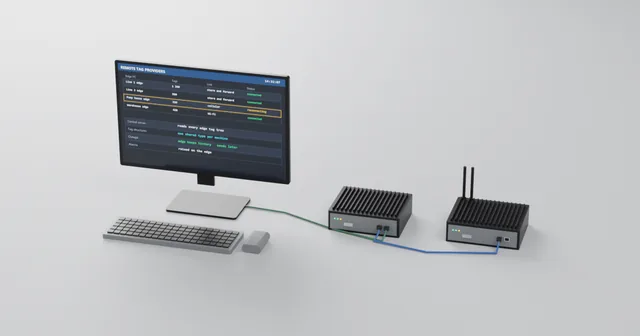
The outgoing Gateway Network connection on an Ignition Edge gateway has no tag update-rate setting. Remote subscriptions on the main Gateway run directly against the Edge tags, so each tag's scan class sets the rate for the main Gateway and the local Vision client at the same time, and the connection queues changes and delivers them as fast as the link allows. This article explains why that is, and what actually works when the remote link must be slow while the local HMI stays fast.
Is there a rate setting on the Edge outgoing connection? #
No. The Outgoing Connection page of the Gateway Network on Edge carries the connection settings, including ping rates and timeouts (the documented default is 10,000, in milliseconds, for connection health), but nothing that paces live tag traffic. The 10,000 value is a ping interval, not an update rate: it checks that the connection is alive and says nothing about how often tag values travel. Per the manual's Gateway Network and Tag Providers documentation, the remote tag provider works by linking the main Gateway to a tag provider on the remote gateway over the Gateway Network, and the subscription simply forwards changes as the source tags produce them. The design decision, confirmed by Inductive Automation in discussion of exactly this deployment, is that all timing controls (scan classes, driven scan classes) change the rate at which the actual tag changes; the remote subscription is not an independent poller with its own clock.
Why does a 60 s scan class slow the local Vision client too? #
Because there is only one tag, and both consumers read it. When you assign a tag to a 60 second scan class, the tag itself is only evaluated once every 60 seconds. The local Vision client on the Edge gateway and the remote subscription from the cloud main Gateway both consume that single tag, so both see a new value at most once every 60 seconds. The tag group documentation is explicit that tag groups dictate the rate of execution of tags, some needing 500 ms and others 30 s; the rate belongs to the tag, not to any connection or client. A remote-facing consumer cannot be given a different rate than a local one while both point at the same tag.
What does the connection do when the link is busy? #
It queues changes and attempts delivery as quickly as it can. There is no maximum update rate and no condition-driven rate on the outgoing connection; anything that complex was described by the vendor as not currently available. If the link (a DSL line, or a cellular connection on an edge-of-network device) cannot carry the change rate the scan classes produce, the connection falls behind and remote values lag; it does not thin the traffic to fit. A slower link therefore demands fewer tag changes at the source, which brings you back to the scan class.
How do you keep the local HMI fast and the remote link slow? #
You separate the tags, not the connections. The supported pattern is a remote-facing proxy: keep the operator's tags on a fast scan class (for example 500 ms) so the local Vision client stays responsive, and create separate tags, such as expression tags referencing the fast ones, on a slow scan class (for example 60 s). Point the main Gateway's remote subscriptions and the historian's interest at the slow proxy tags. Worked example: an operator tag scanned at 500 ms can change up to 2 times per second; 100 such tags forwarded remotely is up to 200 changes per second at the source. Put the same 100 values behind proxies on a 60 s scan class and the ceiling is 100 changes every 60 seconds, about 1.7 changes per second, roughly a 120-fold reduction in the worst case. The proxy's evaluation and remote behavior should be verified on the installed Ignition and Edge version before you commit to it, since it is a design pattern, not a documented feature of the connection. Note the ceiling assumes every tag changes every scan; steady values with change-only delivery produce far less.
What about the button that speeds remote updates for support sessions? #
A driven scan class on the proxy tags is the mechanism, not a setting on the outgoing connection. Put the remote-facing proxy tags on a driven scan class whose driving expression reads a memory tag, for example a boolean set from a local Vision button. The driver's expression tag itself must be subscribed by the remote side or the driven class will not wake for the remote consumer, so test that the main Gateway's subscription actually drives the rate up when the button is pressed and back down when it is released. The consequence to design around: the driven class changes the proxy tags only, so the local operator's fast tags are untouched, which is exactly the separation the outgoing connection cannot give you.
When is MQTT Transmission the better path? #
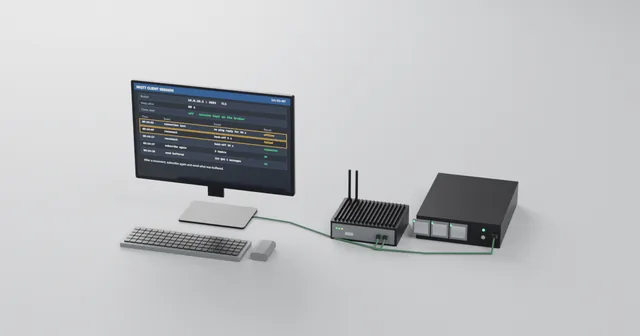
When the requirement is rate control over the wire rather than remote tag-provider subscriptions. Ignition Edge includes an MQTT path that transmits to any MQTT broker with Sparkplug encoding, and the MQTT Transmission module on a full gateway offers more options for what gets published and when. For an Edge-to-cloud historian over a cellular link, MQTT with Sparkplug (covered in Setting up Sparkplug B on an edge gateway controller) plus store-and-forward at the broker decouples the wire rate from the scan class. If the requirement is live remote tag browsing during support sessions, the remote tag provider stays the tool and the proxy-tag design above is the answer; MQTT is a publish path, not an interactive subscription. Verify the module's filtering and bandwidth options in the documentation for your version before adopting it.
How do you prove which rate actually applies? #
Change one timing control at a time and observe both consumers. Put a representative tag on the slow scan class, watch the local Vision client and a client launched from the main Gateway side by side, and confirm both step together: that proves the scan class is the single source of the rate. Then repeat with the proxy design and confirm the local display keeps its fast rate while the remote value steps at the slow one. If remote values lag beyond what the source tag produces, the fault is delivery, not timing: check the Gateway Network connection health on the Outgoing Connections page, where the ping response times are monitored for both directions, before touching any scan class. Keep history in a separate test: the historical sync settings on the outgoing connection move historian data, and as covered in Why Edge historian gaps look like held values centrally, a history path that works says nothing about live subscription rates.
Which design do you commit to? #
Commit to the proxy-tag design. Fast scan class (500 ms in the example) on the operator tags for the local Vision client; slow scan class (60 s in the example) on remote-facing expression tags; the main Gateway's remote tag provider and historian read the slow tags. Add the button-driven scan class on the proxies only if support sessions need live remote browsing, and test that the remote subscription drives the class. Do not plan around any max-rate or conditional setting on the outgoing connection: as of the versions documented, it does not exist, and historical sync settings are not a live-tag throttle. Where the link is metered cellular and no interactive remote browsing is needed, MQTT Transmission with Sparkplug is the alternative to evaluate first.
Questions asked
Does the historical sync setting on the outgoing connection throttle live tags?
No. Historical sync on the outgoing connection governs store-and-forward synchronization of historian data, not the live subscription path. Live tag changes still travel at the source tag's scan class. Verify the options for your installed version before designing around them.
Can I pick which tags the main Gateway subscribes to?
The remote tag provider on the main Gateway subscribes against the Edge tag provider as a whole; per-tag selection on the outgoing connection is not a setting of that connection. A remote-facing proxy tag on a slow scan class is the way to limit which values change for remote consumers.
Is the 10,000 ping value an update rate?
No. The 10,000 setting on a Gateway Network connection is a ping rate or timeout in milliseconds for connection health checks, not a tag delivery rate. It keeps the connection monitored; it does not pace tag traffic.
What hardware runs an Edge gateway on the plant floor?
Ignition Edge typically runs on a fanless industrial box or mini PC at the cabinet, sized for the tag count and store-and-forward storage the site needs. The tag update-rate behavior is the same regardless of the hardware it runs on.