Explainer
Why Desigo CC alarms need a PI web service input
Short answer
A Desigo CC upgrade removes direct SQL access to alarms and events, so your OPC DA value path survives but the alarm path must move to the deployed web service. Pick the PI input from the exposed protocol: PI Connector for UFL for a REST feed, PI Interface for OPC Alarms and Events only where an OPC A&E server exists.
On this page
- Why does the Desigo CC upgrade break alarm collection into PI?
- Which PI input matches a web service alarm feed?
- What must the web service expose before it can feed PI?
- How do service fields map into PI records?
- How does collection recover after an outage?
- How do you verify one alarm end to end?
- Questions asked
Your Desigo Insights alarm path dies at the upgrade because the new platform replaces the SQL server with its own database and offers no direct access to it. Continuous values through OPC DA keep flowing unchanged; alarms and events must now come through the web service the platform deploys. Choose the PI input from the exposed protocol, not from the database name: PI Connector for UFL for a REST service, PI Interface for OPC Alarms and Events only where a real OPC A&E endpoint exists.
Why does the Desigo CC upgrade break alarm collection into PI? #
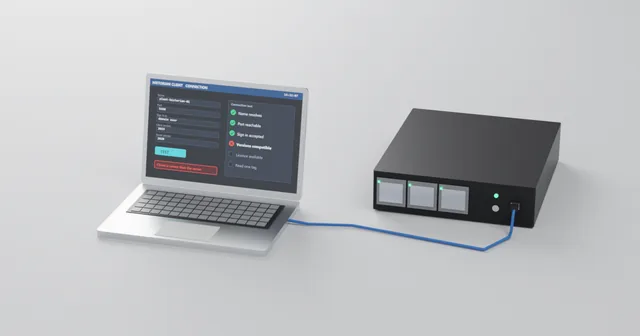
The old integration read alarms and events from a Microsoft SQL server, and Desigo CC removes that access by moving the alarm data into its own database behind a web service interface. Your OPC DA subscription for process values is untouched, which is exactly why the fault is easy to misread: trends keep updating while alarm records stop.
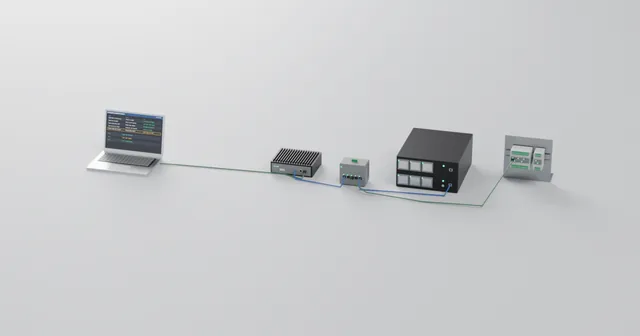
A web service interface is the documented boundary between the management platform and a third-party application, and Siemens documents it that way for connecting external systems such as energy managers to Desigo CC. That boundary replaces the database tables you used to query. Two consequences follow. First, no PI interface can query those tables anymore, so the search for a replacement starts at the service, not at the database. Second, the service is the vendor's supported access method; working around it would put you outside supported behavior and expose you to silent breakage on the next platform update.
The proof of the break is already on your screens: a value collected through OPC DA updates while the same source produces no new alarm record in PI. That combination points at the alarm acquisition path alone.
Which PI input matches a web service alarm feed? #
PI Connector for UFL is the direct candidate for a REST service, because it is documented to scan either a file directory or a REST web-service endpoint and model the data in PI Asset Framework and the PI Data Archive. PI Interface for OPC Alarms and Events is the candidate only when the installed Desigo CC configuration exposes an actual OPC A&E server; OPC DA value connectivity does not include event collection, and an alarm subscription is a separate interface in the OPC classic set, defined by the OPC Foundation's Alarms and Events specification.
The decision rule is short:
| Exposed interface | PI input | Decision |
|---|---|---|
| REST web service | PI Connector for UFL | Use it when the service returns alarm and event history in parseable responses |
| OPC A&E server | PI Interface for OPC Alarms and Events | Use it when the endpoint exists, is licensed, and carries the required event fields |
| OPC DA only | none for alarms | Retain it for values; it cannot feed events |
| File or stream drop from another process | PI Interface for UFL | Use when an approved integration writes service results as files |
If both a REST service and an OPC A&E endpoint expose the complete event set, prefer OPC A&E when its event semantics and the PI interface fit the requirement, and prefer REST when the documented service gives you the history and fields the connector can parse. AVEVA publishes sample files and documentation demonstrating the UFL connector's REST endpoint, including automatic tag and element creation, which you can use to rehearse the mapping before touching the production service.
What must the web service expose before it can feed PI? #
Before selecting the connector, get the service documentation for your installed configuration from the vendor and confirm five things.
- The protocol and authentication. A web service is not automatically a REST service, and the connector's REST endpoint is the only reason REST matters here. Record the authentication method and the account permissions the service requires.
- The operation that returns alarms and events, not only current values. A current-alarm list and an event history serve different purposes: an alarm that activates and clears between retrievals can vanish from a current-state list without ever reaching PI.
- Whether retrieval covers historical events, active alarms, or both. Reliable collection needs a retained history or a documented mechanism that preserves transitions.
- The rules for filters, pagination, ordering, record limits and continuation. Your polling behavior must stay inside those limits.
- The time zone and timestamp format of every event field, before any mapping is written.
Close this section by retrieving one known alarm, with its source, timestamp, message and state, through the endpoint you intend to use. If the service returns no matching alarm, resolve retrieval scope, filters and permissions before you edit anything on the PI side.
How do service fields map into PI records? #
Build the mapping from a captured service response, never from the operator screen. The screen can translate state labels, reformat timestamps or omit fields that distinguish two otherwise identical events.
| Mapping item | Read it from | Effect |
|---|---|---|
| Source identity | Service record | Associates the event with the right equipment |
| Event timestamp and zone | Response and documentation | Places the event at its occurrence time |
| Message and classification | Service record | Preserves what the alarm means |
| State or transition | Event fields | Separates activation, acknowledgment and return to normal |
| Stable event identity | Documented identifier fields | Supports replay handling and duplicate detection |
Use the source event timestamp for the PI record; track retrieval time separately if you need it. Configure parsing and field conversion for the chosen input, then test with records that have missing optional fields and messages containing punctuation. Read the resulting PI records directly, not through a dashboard, before declaring the mapping done.
How does collection recover after an outage? #
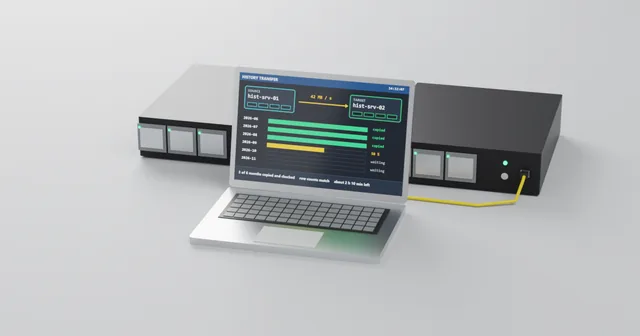
Polling needs a restart position. Saving only the latest request time loses events that occurred during an interruption; repeatedly requesting overlapping history creates duplicates. Use the service's documented continuation mechanism, and advance your progress marker only after the corresponding records have been processed successfully.
Work the sizing with example numbers so the limits are concrete. Suppose the site produces about 200 alarm and event records per day, which is about 0.14 records per minute. A 15-minute polling interval then carries on average 0.14 × 15 ≈ 2 records per poll, so a page size of 100 gives roughly 50 times the average load as margin. After a full day of collector downtime the backlog is about 200 records, or roughly two pages of 100; the replay runs from the last confirmed position, and the stable event key discards anything already ingested. If you also track gaps deliberately, the choice of a gap threshold interacts with the polling interval, and our article on marking PI UFL data gaps longer than 90 seconds covers that rule for UFL-sourced data.
Test recovery on purpose: stop the collector under controlled conditions while the source keeps recording events, restart it, and compare the recovered records against the source history including counts, timestamps and event keys.
How do you verify one alarm end to end? #
Pick one alarm that is visible in the Desigo CC operator interface, record its source, message, displayed timestamp and current state, and follow it through every hop before judging the integration.
- Retrieve it through the selected endpoint and confirm the response contains the same source, timestamp, message and state.
- Confirm the connector or interface parsed it and wrote a PI record; a successful service call alone proves nothing about the mapping.
- Read the PI record directly and compare identity, timestamp, message and transition against the source event.
- Only then check the display, and if the display omits the event, look at its source selection, time range and filters rather than the collector.
Where a record goes missing, the fault sits at exactly one of three points: service retrieval, PI ingestion or display binding. Compare against a changing analog value already flowing through OPC DA to confirm the value path is not part of the problem. Note that a lost OPC DA path for values is a separate repair; for readers rebuilding value collection from an OPC server into a SQL-backed store, our guide on logging PLC values from an OPC server into SQL Server covers that path.
The decision, stated plainly: keep OPC DA for values, obtain the web-service documentation from the vendor, and choose PI Connector for UFL if the service is REST with retrievable event history; choose PI Interface for OPC Alarms and Events only if a documented, licensed OPC A&E endpoint exists; verify one known alarm from the operator screen to the PI record before enabling production collection.
Questions asked
Can PI still read Desigo CC alarms from the database directly?
No. Desigo CC does not offer direct access to its alarm database the way the older system exposed its SQL server. The documented interface is the web service the vendor deploys with the platform, so the PI side must consume that service. Any other database access would be unsupported by the vendor and can break without notice on an update.
What is the difference between PI Connector for UFL and PI Interface for UFL?
PI Connector for UFL can poll a REST web-service endpoint or scan a directory and models the result in PI Asset Framework and the PI Data Archive. PI Interface for Universal File and Stream Loading is the older interface for file and stream inputs and does not call a REST service itself. For a web-service alarm feed, the connector is the direct candidate; the interface fits when another process writes service results to files.
Does the existing OPC DA connection for process values cover alarms?
It does not. OPC DA is a data-access interface for values and quality. Alarms and events are a separate, event-oriented interface in the OPC classic set, and a working DA subscription proves nothing about event collection. Keep DA for values and build the alarm path separately, whether through an OPC Alarms and Events endpoint or the web service.
How do I stop duplicate alarms after a PI restart?
Give each source event a stable identity from a documented identifier or event-key field, and record it in PI. Advance the retrieval window only after a page has been processed successfully, using the service's continuation mechanism. On restart, replay from the last confirmed position and let the event key discard records that already arrived. Test this by stopping the collector under controlled conditions while the source keeps producing events.