Troubleshooting
Why Node-RED nodes fail to install on groov RIO firmware 3.6.0
Short answer
On groov RIO firmware 3.6.0-b.44 the Python and Node.js runtimes are fixed by the tested firmware stack, so node installs that demand newer runtimes fail by design. Install a newer Python alongside the system one, pin node-red-contrib-modbus at 5.3, and take Node.js and Node-RED updates only through a firmware release — firmware 4.1.0 ships Node.js 22.22.0 and Node-RED 4.1.3, which current nodes accept.
On this page
- Why does every Node-RED node install fail on groov RIO 3.6.0-b.44?
- Which Node.js and Node-RED versions does each firmware ship?
- How do you add a newer Python without breaking the RIO?
- Can you update Node.js or Node-RED on the RIO?
- Which node-red-contrib-modbus version installs on this firmware?
- What does the Bluetooth host need before it will run?
- When should the Bluetooth flow move off the RIO?
- Questions asked
Your installs are not failing because of the palette, the proxy or your permissions. On groov RIO firmware 3.6.0-b.44, Python and Node.js are fixed by the tested firmware stack, and current node packages demand runtimes newer than it ships. The fix has three parts: install a newer Python alongside the system one, pin node-red-contrib-modbus at 5.3 for your Modbus server, and take Node.js and Node-RED updates only through a firmware release. When a node needs what no firmware gives you yet, that flow belongs on another host.
Why does every Node-RED node install fail on groov RIO 3.6.0-b.44? #
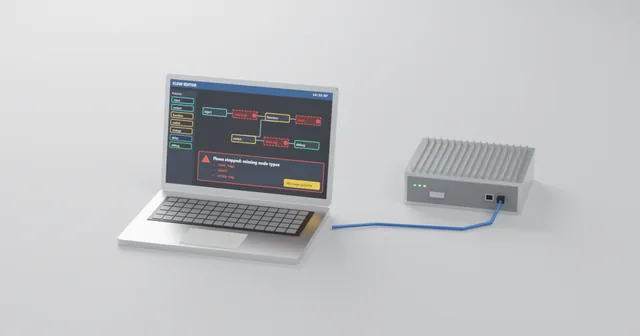
Because that firmware locks Python and Node.js into one tested stack, and its Node.js is too old for current nodes; the install errors are a runtime compatibility failure, not a palette, proxy or permissions fault. The device is released as an integrated firmware image, so its component versions trail the standalone upstream projects on purpose. Work the failure in this order:
- Confirm the firmware version the device reports, in this case 3.6.0-b.44.
- Read the failing node's documented requirements: its Python, Node.js and Node-RED minimums.
- Classify the gap: Python-only means install a parallel interpreter; a Node.js or Node-RED gap means a firmware release or a different host.
- Never replace the shipped system Python to close the gap.
Which Node.js and Node-RED versions does each firmware ship? #
The 3.6.0-b.44 generation carries Node.js 14.20.0, the next firmware line moved it to 20.12.2, and firmware 4.1.0 ships Node.js 22.22.0 with Node-RED 4.1.3. Those are the only runtimes your nodes can use; nothing in the palette manager changes them.
| Firmware line | Node.js | Node-RED | Effect on current nodes |
|---|---|---|---|
| 3.6.0-b.44 generation | 14.20.0 | bundled with that runtime | current releases refuse to install; pin older versions |
| Runtime-update release | 20.12.2 | bundled with that runtime | still below a documented minimum of Node.js 22 |
| 4.1.0 | 22.22.0 | 4.1.3 | current releases install, including Dashboard 2.0 support |
How do you add a newer Python without breaking the RIO? #
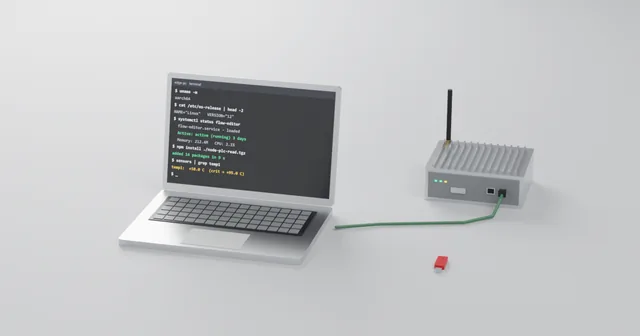
Install the newer interpreter alongside the shipped one and call it explicitly, because the system Python must stay untouched: many other packages on the device depend on it. Put the new interpreter in its own location and have your scripts or node configuration invoke it by its full path rather than by the generic command name. This closes only the Python part of an install; the Node.js runtime that Node-RED itself runs on is unchanged by it.
Can you update Node.js or Node-RED on the RIO? #
No: Node.js cannot be updated as an isolated component on this firmware, and the usable Node-RED version is set by the bundled Node.js, so both arrive only through a firmware release. The supported procedure is the firmware route, walked through in how Node.js is upgraded on groov RIO for Node-RED. Trying to force a standalone Node-RED upgrade on top of the old runtime leaves the editor loading against JavaScript it was not built for.
Which node-red-contrib-modbus version installs on this firmware? #
Pin 5.3 on the 3.6.0-b.44 generation: it is the reported working version, while the current release demands Node.js 22 or newer and Node-RED 4 or newer. Run the comparison yourself against the package's two documented requirements, the engines field of its package.json and its node-red.version field:
- Node.js 14.20.0: 22 − 14 = 8 major versions short. Refused.
- Node.js 20.12.2: 22 − 20 = 2 major versions short. Still refused.
- Node.js 22.22.0 on firmware 4.1.0: 22.22.0 is at least 22, and Node-RED 4.1.3 is at least 4. Both pass; the current release installs.
So the decision is: on the old runtime keep the pinned version, after upgrading to the current firmware take the current release. Keeping a pinned version stable across gateway flows is the same discipline described in stable Node-RED gateway flows with vendor-pinned nodes. After the install, deploy your Modbus server flow and exchange data from a Modbus client before you call it working. If the node installs but never appears in the palette, the failure is at load time, and troubleshooting Node-RED node loading on groov access covers that path.
What does the Bluetooth host need before it will run? #
No validated Bluetooth node, adapter or transport profile for this firmware is documented, so record the chosen node's exact runtime requirements first, then classify the gap. The install errors that scream about an old Python are the Python part: close it with the parallel interpreter above. If the install still fails afterwards, the remaining dependency is a Node.js version, a Node-RED version or hardware support that this firmware does not offer, and no amount of Python work will fix it.
When should the Bluetooth flow move off the RIO? #
When the node needs a Node.js or Node-RED version the firmware does not ship and no firmware release is available to you yet, run that flow on a fanless mini PC and keep the RIO on I/O. Split the work at a clean boundary: the RIO keeps its Modbus server and wired I/O, publishes its data over the network, and the external host runs the Bluetooth stack and whatever nodes demanded the newer runtime. That keeps a working device working instead of fighting its firmware stack.
Questions asked
Does adding a newer Python change what Node-RED runs on?
No. Node-RED runs on Node.js, and the added interpreter does not touch it. A parallel Python fixes only the part of an install that needs a newer interpreter for build scripts or helper code; a node that needs a newer Node.js still fails until the firmware changes.
Can I force the install past the engine check?
You can make the download succeed, but not the node. The engines field exists because the node's code calls runtime APIs the old Node.js lacks, so a forced install fails at palette load or on first deploy. Treat the documented minimum as a hard requirement and pin an older compatible version instead.
Which firmware do I need for the latest node-red-contrib-modbus?
Firmware 4.1.0. It ships Node.js 22.22.0 against the node's documented minimum of 22, and Node-RED 4.1.3 against its minimum of 4, so both checks pass. On any earlier line the install is refused and 5.3 stays the working version.
Is any Bluetooth adapter validated for this device?
None is documented. No validated Bluetooth node, adapter or transport profile for this firmware is on record, so before buying hardware, get the chosen node's requirements in writing: the Python, Node.js and Node-RED versions it targets. If it needs the newer runtimes, plan on the newer firmware or an external host.