Explainer
Why one client's historian trends show old data: clock skew
Short answer
Yes: a Realtime tag history binding builds its now-minus-period window from the client PC's clock and timezone, converted to UTC milliseconds, so a client two hours behind requests a window that ends two hours ago. Ignition 7.9.10 has no per-binding option to use gateway time. Fix NTP sync and the timezone on every client, and add a warning that compares the gateway-time system tag with now().
On this page
Yes. A Realtime tag history binding takes its "now" from the client PC, not the gateway: the client builds a now timestamp and a now-minus-period timestamp from its own clock and timezone, converts both to UTC milliseconds, and asks the gateway for that span. A client whose clock is two hours behind therefore requests a window that ends two hours ago, and the chart shows real but old data while an identical client on the same gateway looks correct. In 7.9.10 there is no per-binding setting to substitute gateway time, so the fix is time sync and the correct timezone on every client, plus a warning label that compares the gateway-time system tag with now().
How the realtime window is built #
In the tag history binding you choose either a Historical or a Realtime query. A Historical query uses a date range bound in from other components on the screen. A Realtime query takes a period and computes the range on the client: now comes from the PC the client runs on, the window start is now minus the period, both ends are converted to UTC milliseconds (the conversion happens in the Java date class the client uses, java.util.Date), and that span goes into the query.
Two settings on the client feed the conversion: the wall-clock time and the timezone. Either one wrong produces a wrong UTC value. The gateway then serves the request with the same code path it uses for any historical span, so it answers exactly what was asked; a well-formed request built on a wrong "now" is indistinguishable from a legitimate one.
In 7.9.10 there is no per-binding option that builds the window from gateway time, because that would need an extra round trip to the gateway or a second code path for both timestamps. Treat correct client time and timezone as a hard requirement on every client that trends data.
Confirm the cause with two labels #
Open the same window, with the same tag history binding, on the bad client and on a known-good client, side by side.
- Identical data on both: the client clock is not the problem. Move to the storage side; when a historian shows a real value hours off, check the UTC offset rather than the query window.
- Old data or a blank right edge on one client only: suspect that client's clock or timezone.
On each client, drop two labels on a temporary window. Bind one to the client-scoped system tag that holds the gateway time; client-scoped system tags provide status information about the client's system, and this is one of them. Read its exact path from the tag browser instead of typing it from memory. Bind the other label to the client's own current time with the expression function now(). On the good client the labels agree. On the bad client they differ by the skew, and you have the cause without touching the historian. If they agree on the bad client too, clock skew is ruled out and you go back to the storage path.
Do not restart the gateway, clear caches or touch the history database at this stage: the gateway is already returning correct data to the good client.
Worked example: the unsynced client on a last-30-minutes window #
Inputs, each with its source:
- Client clock offset: 2 h behind the gateway, from the reported case of a PC that was never joined to the internal NTP server and was set by hand.
- Binding: Realtime query, period 30 minutes.
- Query moment: the gateway clock reads 10:00:00 when the client refreshes, an illustrative anchor, since only the offset and the period change the outcome.
Rule: the client subtracts the binding period from its own skewed now, converts both ends to UTC milliseconds, and the gateway returns exactly that span of stored history.
Arithmetic:
- Client's now = gateway time minus the offset = 10:00:00 - 2 h = 08:00:00.
- Window start = client's now minus the period = 08:00:00 - 30 min = 07:30:00.
- Requested span = 07:30:00 to 08:00:00.
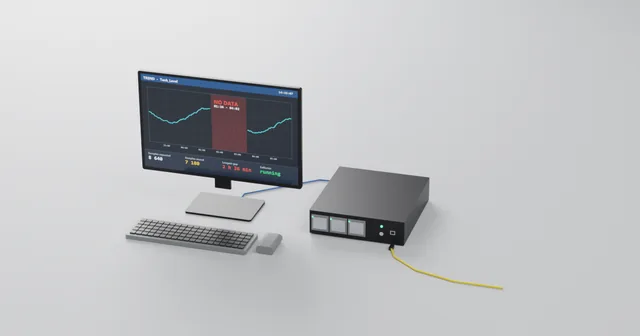
Result: the gateway returns valid data for 07:30:00 to 08:00:00. The trend's right edge stops at 08:00:00, two hours before the real present, and the newest two hours of stored history are never requested. The stored data is fine; the question is wrong.
Decision: an offset of this size swallows the half-hour window four times over, so no gateway-side change can repair the display. Resync this client before anyone trusts a trend on it, and accept the repair only when the two labels from the previous section agree within 5 seconds.
Match the offset to the wrong setting #
The size of the difference between the two labels points at the setting:
- Whole hours: the timezone or daylight-saving setting is wrong, or the clock was set by hand and never synced. Set the PC's timezone to the zone it physically sits in; the wall clock and the timezone must agree, because a correct local time with a wrong timezone still converts to a wrong UTC value.
- Seconds to a few minutes: the time service is stopped, cannot reach its source, or the clock is drifting. Point the Windows time service at your internal NTP server and force a resync.
- The labels agree on both clients but the trends still differ: compare the gateway host itself against the NTP server. The historian stamps data at the gateway, so a wrong gateway clock misplaces stored data relative to every correct client.
On a Windows client, configure and verify the time service with its own commands, with 192.168.1.10 standing in for your internal NTP server:
w32tm /config /manualpeerlist:"192.168.1.10" /syncfromflags:manual /reliable:no /update
w32tm /resync
w32tm /query /status
w32tm /query /source
The source reported by the last command must be your NTP server, not "Local CMOS Clock". On a domain-joined PC, repair the domain time hierarchy instead of setting a manual peer list: group policy overwrites the list and the skew returns. The same discipline applies to Linux edge boxes, where clock skew detected breaks Linux builds on an edge PC.
Add a skew warning to every client #
Repairing one PC does not stop the next unsynced one from raising the same complaint. Keep the diagnosis in the client permanently: a label in the header or main template, visible when the absolute difference, in seconds, between the gateway-time system tag and now() exceeds a threshold. Both inputs are documented: the system tag carries the gateway time, and now() returns the client's current time resolved through the client's timezone, so read how the now() function handles timezones before you build the comparison, and confirm the expression functions against the reference for your Ignition version.
Choose the threshold from the fastest trend the client displays. The reported sparkline watches the last minute of a quickly responding value, and with a skew of 20 seconds a third of that window is wrong; the operator sees a valve open with no apparent result. One third is already unacceptable, so commit to 5 seconds on any client that shows minute-scale trends, and accept 30 seconds only where the tightest trend spans hours.
Set the label text to name the fault, for example: Client clock differs from server - trends may be wrong.
Clock discipline pays beyond trends: a PLC can ping normally while AWS IoT Core MQTT fails when the clock is wrong, because the encrypted session checks certificate dates against the local clock.
Remote, office and unmanaged clients #
Every client computes its own window, so the rule does not change with location:
- A remote user in another timezone needs the correct time and the timezone of the place the PC sits in, not the gateway's timezone. A correct clock with a matching timezone converts to the same UTC window as any other client's.
- A corporate-managed PC should get its time service from domain policy, which removes the cause at the source.
- An unmanaged or personal PC cannot be trusted to keep time: keep it off the production gateway, or require a sync check and the warning label before use.
One display trap after the repair: if a Perspective table then shows timestamps in UTC instead of local time, the data is right and the table's timezone display is a separate setting, covered by fixing a Perspective table that displays UTC time.
Prove the trends recovered #
Re-run the two-label comparison on the repaired client: the gateway-time tag and the client's own time agree within 5 seconds. Open the same chart and the same sparkline on the repaired client and the known-good one: the lines and the right-edge timestamps are identical. Trigger a step change in a fast-responding tag and watch it appear at the right edge within the binding's period. Reboot the client once and read the time source again, so you know the fix survives a restart and the next shift sees current data.
Questions asked
Why did years of gateway-time-only design never show this fault?
Gateway tag scripts, gateway timers and the historian itself all run on the gateway clock, so a design that used gateway time everywhere masked client skew for years. The fault only surfaces when a client-side display builds its own timestamps, as a Realtime tag history binding does, which is why it arrived looking like a sudden historian problem.
Do Historical date-range bindings shift with client clock skew?
Not by themselves. A Historical query uses a date range bound in from other components on the screen, so the window only moves if that range is itself built from client time, for example a date picker that opens on the client's today. Bind the range from values the operator sets explicitly and the display stops depending on the PC clock.
What does it mean when the resync command reports no time data was available?
That message means the time service had no usable source at the moment of the resync. Read the configured source first, confirm the NTP server is reachable from the PC, start or restart the Windows time service, then resync again. On a domain member, repair the domain time hierarchy instead of setting a manual peer list, since policy will overwrite it.
Why does the trend's right edge freeze instead of the whole chart emptying?
Because the requested window still overlaps stored history, the gateway returns valid older data and only the newest span is missing, so the chart looks alive but stale. If the skew ever exceeds the retention available behind the requested window, the same binding returns nothing at all, which is the same fault at a larger size.