Explainer
Why SQLite to SQL Server sync needs stable record keys
Short answer
Give every record a key generated at the source, enforce it with a unique constraint on SQL Server, and set the SQLite transferred flag only after the server acknowledges the keys it committed. The five-minute interval then times attempts instead of guaranteeing delivery, and a retry that lands twice is refused rather than stored twice.
On this page
- Why does a retried sync create duplicate rows?
- What makes a record key safe to sync on?
- How does a unique constraint stop the second insert?
- When is it safe to set the transferred flag in SQLite?
- What should each scheduled sync attempt do?
- How big does the backlog get after a WiFi outage?
- Where does a failed transfer stop on the way to SQL Server?
- How do you prove the sync is duplicate-free before trusting it?
- Questions asked
Copying crane records from SQLite on the edge box into a central SQL Server on a five-minute cycle is not difficult because of the timing; it is difficult because WiFi can drop after the server commits a batch and before the acknowledgment returns. The safe design is three commitments: a record key generated at the source, a unique constraint on that key in SQL Server, and a transferred flag in SQLite set only after the server names the keys it committed. The interval times attempts — it never guarantees delivery — and a record that arrives twice is refused, not stored twice.
Why does a retried sync create duplicate rows? #
A retry duplicates data when the sender cannot tell a committed-but-unacknowledged batch from one that never arrived: the link drops in the gap after the server commits, the sender sees only a lost connection, and an unconstrained table accepts the same batch a second time.
The two failure directions pull opposite ways. Flag a row as transferred when the query is sent, and a batch the server never received is lost from the queue forever. Leave it pending on any failure, and a batch the server did receive is inserted again on the next attempt. No timeout can tell the two cases apart, so stop trying: design for at-least-once delivery, where each record may arrive more than once, and make the insert idempotent — an operation that produces the same stored result whether it runs once or many times. The sender then always retries on doubt, and the destination absorbs the repeats. SQLite plays the buffer that keeps collection alive through the outage, the same role covered in store-and-forward SQL buffering during MES outages.
What makes a record key safe to sync on? #
A sync key must exist before transmission and survive every retry: generate it where the record is created — a source-generated identifier, or source identity combined with a sequence number — and store the same value in SQLite and SQL Server.
A timestamp alone is not a key: two cranes can report within the same second, and clock precision on the edge box is not a uniqueness guarantee. Use time in the key only when the acquisition design guarantees uniqueness at its recorded precision. Test the key before the sender goes live: push through records with identical timestamps, records with identical values, and records from several sources, and confirm that distinct samples get distinct keys while a retransmitted sample keeps its original key.
How does a unique constraint stop the second insert? #
A unique constraint or primary key on the key column makes SQL Server reject any insert whose key already exists, which turns a retry into a refused no-op instead of a second row.
This is the decisive defense because the schema enforces it, not sender discipline. One documented limit applies before you add it: if the target column already contains duplicate values, the database engine returns an error and does not add the constraint, so find and merge the existing duplicates first. With example table and column names:
-- example names: table crane_records, key column record_key
ALTER TABLE crane_records
  ADD CONSTRAINT uq_crane_records_record_key UNIQUE (record_key);
To list keys already stored more than once, group by the key and keep the counts above one:
SELECT record_key, COUNT(*) AS copies
FROM crane_records
GROUP BY record_key
HAVING COUNT(*) > 1;
The sender then needs a rule for the rejection. A duplicate key carrying an identical payload means the record is already there: mark it transferred and move on. A duplicate key carrying a different payload is a data conflict: log both versions and investigate, because treating it as success or overwriting silently would hide a real integrity problem.
When is it safe to set the transferred flag in SQLite? #
Only after the server returns the keys it committed: the flag records a confirmed destination state, so it is never set when the batch is sent, and a partial batch sets flags only for the keys the server actually named.
Tie acknowledgment generation to the transaction outcome on the server: commit first, then respond, and respond only with keys whose final state is known. The rule matches what a historian data path already requires, as described in when store-and-forward buffered data counts as stored in the historian. It also holds for any transport: retries over an offline link are only safe when the application confirms each record, which is why MQTT offline retries need application acknowledgments. A database connection has the identical requirement — the acknowledgment is the committed key list, nothing else.
What should each scheduled sync attempt do? #
Each run selects a bounded set of pending rows, sends the inserts as parameterized statements in one server transaction, waits for the commit and the returned key list, and only then updates the flags for exactly those keys in SQLite.
- Select the rows whose transferred flag is unset, up to the batch bound, ordered by key.
- Send parameterized inserts; never build SQL text by concatenating data values.
- Let the server insert the batch inside one transaction, with the unique constraint active to classify repeats.
- Commit, then return only the keys that were committed.
- Update the SQLite flags for those keys and no others.
- On any connection or response failure, change nothing: the rows stay pending, and the log records the batch start time, the key range, the result and the error — never credentials or unrestricted payload data.
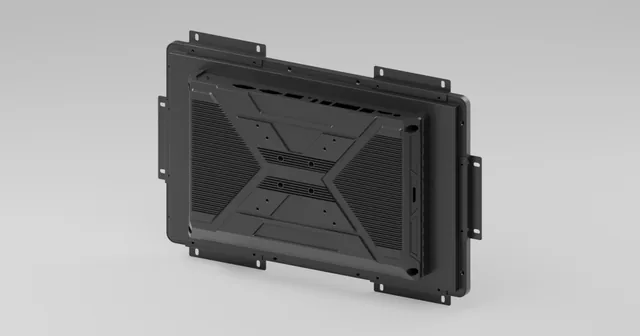
Keep runs from overlapping unless a lock makes concurrent attempts safe, and put the sender on hardware that survives the cabinet: when the collection point moves from a development board to production, the same SQLite store and sender run unchanged on a fanless industrial mini PC.
How big does the backlog get after a WiFi outage? #
Sizing is arithmetic you can do today: in the worked example below, an 8-hour outage leaves 480 pending records, and the batch bound alone decides whether they drain in an hour or never.
Take example inputs of 4 cranes reporting 15 records per hour each, so 60 records per hour; replace them with a measured day before committing the bound.
- Steady state per attempt: 60 records/hour × (5 minutes ÷ 60 minutes) = 5 records.
- Backlog after the outage: 60 records/hour × 8 hours = 480 records.
- A bound equal to the arrival rate never catches up: at 5 records per attempt, the queue drains 5 while 5 more arrive, and the backlog stays put.
- To clear it within one hour, you get 12 attempts at 5-minute spacing, so the bound must be at least 480 ÷ 12 = 40 records.
The decision: set the bound above that quotient — 100 rows is comfortable for the example and clears the backlog in 5 attempts, about 25 minutes — and recheck it whenever the crane count or the record rate changes.
Where does a failed transfer stop on the way to SQL Server? #
Trace one known key hop by hop — pending in SQLite, reachable server, accepted insert, returned acknowledgment — because the first hop that fails names the fault, and the last two look identical from the edge box without the server's key list.
| What you observe | Where it stopped | What to check |
|---|---|---|
| The row never leaves SQLite | Scheduler or selection | The logged run, the selection rule and the selected key count |
| The connection cannot be established | WiFi, routing, firewall or the server listener | Reachability from the edge box, the configured host, the server's connection log |
| The row arrives but is rejected | Schema, permissions or the constraint | The SQL error and the key it names |
| The server holds the row but the flag stays pending | Lost acknowledgment or failed local update | Re-run the attempt — the constraint makes it safe — and inspect the local update error |
For the connection row, work through reconnect an edge PC to SQL Server after connection loss. The last row is not a fault: it is the design absorbing a lost acknowledgment, and the next attempt completes the record without a duplicate.
How do you prove the sync is duplicate-free before trusting it? #
Run a controlled pass with a handful of known keys: confirm each starts pending in SQLite, let one attempt run, count exactly one copy of each key on the server, then cut the response mid-attempt and confirm the count does not change on retry.
- Insert test records with known keys and confirm they sit pending.
- Run one attempt; verify the server holds exactly one row per key and the flags flipped only for returned keys.
- Break the link after the batch is sent but before the response arrives, then re-run; the counts must not move, and the flags must stay pending until a later attempt is acknowledged.
- Send one key again with a changed payload and confirm the conflict is logged rather than overwritten.
- Only then point the schedule at production data.
The decision for every case follows from that test: with a source-generated key, a unique constraint and a flag set only on committed-key acknowledgment, a retry cannot create a second row and an outage cannot silently drop one. Skip the constraint and retries eventually double-count; skip the acknowledgment rule and the queue either loses data or stalls.
Questions asked
Can I use the server's auto-increment key column as the sync key?
No. A value assigned by SQL Server at insert time cannot be known in advance, so a retry would receive a different value and two edge boxes would collide in the same number series. Generate the key where the record is created, keep it in SQLite, and let any server-assigned column be a local row number that the sync ignores.
What does SQLite report when a duplicate hits a local unique index?
It raises a constraint error whose message reads UNIQUE constraint failed followed by the names of the columns involved. That makes a local unique index on the key a cheap guard for the queue itself: a duplicated insert into SQLite fails loudly at the source instead of being synced twice.
How does sender code recognize a duplicate-key error from the database?
Check the error code the driver raises and the constraint name it reports, then classify that specific error as already-stored and treat every other database error as a failure. One PostgreSQL driver, for example, reports duplicate inserts with code 23505 and a constraint property, and the same classify-then-decide pattern applies to whichever SQL Server driver the sender uses.
Should the records travel over MQTT instead of a database connection?
Either transport works if the three rules hold. A direct database connection keeps the unique constraint, the commit and the acknowledgment in one place, which is simpler to audit; MQTT moves deduplication into the consumer that writes to SQL Server and adds a broker to operate. Choose MQTT when the plant already standardizes on it for edge data.