Troubleshooting
Outbound firewall ports for a plant remote access modem
Short answer
A plant remote access modem connecting to Talk2M needs exactly two outbound ports open on the site firewall: TCP 443 and UDP 1194, toward the manufacturer's documented destination names and addresses. A switch that detects the modem and answers ping proves only the local link. Work outward from the WAN gateway and DNS, match firewall session logs to the documented destinations, and open no inbound rule.
On this page
- Read the WAN gateway and DNS before blaming the firewall
- What the switch ping proves, and what it does not
- Worked example: the outbound rule request for one Talk2M router
- Match the firewall log to the documented destinations
- When the router is online but eCatcher still cannot connect
- The fix for each failure, case by case
- Questions asked
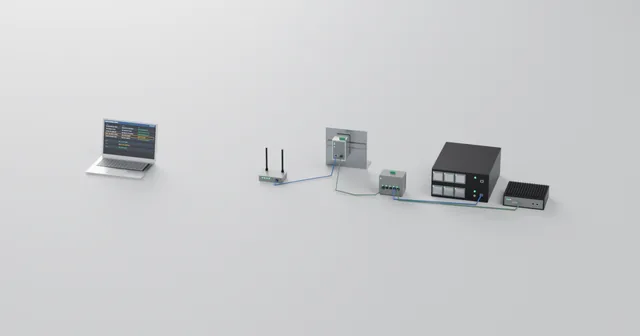
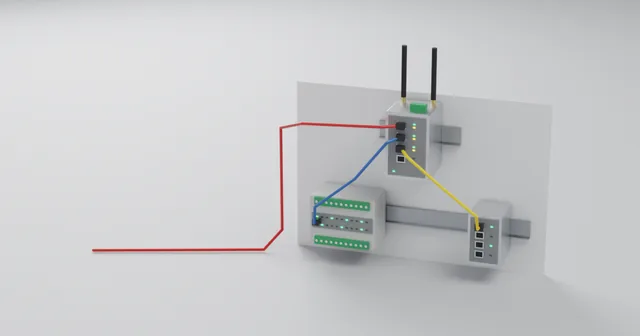
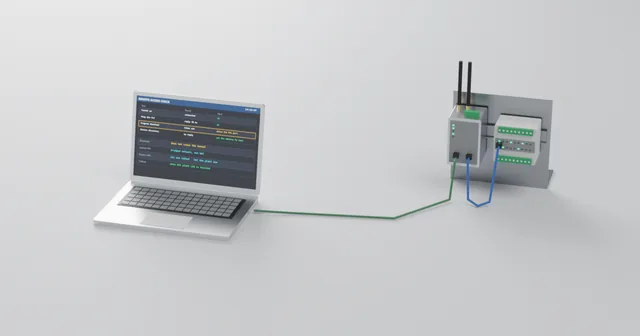
The symptom on a newly installed machine is familiar: the builder's remote access modem is detected by the WAN switch, the switch answers ping, and the connection still fails. The answer is two numbers, not another reboot. A modem that connects to the Talk2M remote-access service needs exactly two outbound openings on the site firewall: TCP 443 and UDP 1194, pointed at the manufacturer's documented Talk2M destinations, with no inbound rule and no port forwarding. Hand IT that destination list from the manufacturer's support documentation rather than a port number carried over from another modem line. Then work outward in order: the router's WAN gateway and DNS, the outbound sessions in the firewall log, and only after the service is up, the account and eCatcher client.
Read the WAN gateway and DNS before blaming the firewall #
Switch visibility proves a cable and a VLAN, not a route. Before IT changes anything, read four values from the router's local status pages through the maintenance access the builder provides:
- The WAN address and subnet mask: they must match the address and network IT assigned to that machine port. A failed assignment or a wrong subnet puts the fault before any firewall rule.
- The default gateway: compare it with the gateway IT supplied. A router can exchange traffic with its own switch indefinitely while having no usable route off the subnet.
- The DNS servers: they must be reachable from the WAN network. The Talk2M endpoints are contacted by name first, so name resolution fails before any port rule is ever tested.
- The switch port itself: ask IT which VLAN and access policy the builder's port landed on. A quarantined or guest port reproduces every symptom of a blocked service.
If any of these readings is wrong, stay on this branch and correct it through the router's WAN configuration; rebooting the router or adding firewall entries repairs none of them.
What the switch ping proves, and what it does not #
A ping is ICMP echo, and the remote-access service never answers on ICMP. The switch answering proves the pinging host reaches the switch; nothing in that exchange has left the plant or tested a TCP or UDP port. The same separation of local reachability from service reachability explains why ping works while a PLC program download still fails over remote access — the ping and the session exercise different paths.
| Reading on site | What it proves | What to test next |
|---|---|---|
| Switch detects the modem | The Ethernet link and VLAN membership are live | The router's WAN address, gateway and DNS entries |
| Ping to the switch answers | The pinging host reaches the switch; nothing has left the plant | Name resolution and the outbound sessions from the router's network |
| The service name will not resolve | DNS is broken for that VLAN before any port rule matters | DNS server reachability from the WAN network and the VLAN's DNS policy |
| The firewall allows the session, the tunnel still fails | The transport passed; inspection or the endpoint is the problem | Proxy and TLS inspection policy against what the router documents |
| The router reports the service connection up, the client cannot connect | The WAN path is fine; the account side is not | Device registration, user rights, the client's own network |
| The session is up, the machine controller is unreachable | The failure moved past the service | Machine LAN addressing behind the router |
Take the next measurement at the boundary that actually failed. A successful test from an office PC is evidence only when that PC's routing, DNS and firewall policy match what the router sees.
Worked example: the outbound rule request for one Talk2M router #
The case is the one on the bench: a machine builder has installed a Talk2M remote access modem on the plant network and asked IT for outside access.
Inputs, and where each comes from:
- Service and device: a remote access modem connecting to the Talk2M cloud, installed by the machine builder (the request that started this).
- Required transports: outbound TCP 443 and outbound UDP 1194. The manufacturer's support documentation states the firewall needs to open only these two outbound ports for Talk2M.
- Destinations: the manufacturer's published list of the addresses, URLs and ports used to connect to Talk2M; the service names sit under talk2M.com.
- Source: the router's WAN network, the VLAN IT assigned to the machine — for example 192.168.10.0/24, an illustrative address.
- Direction: outbound only, with return traffic carried by the firewall's state table.
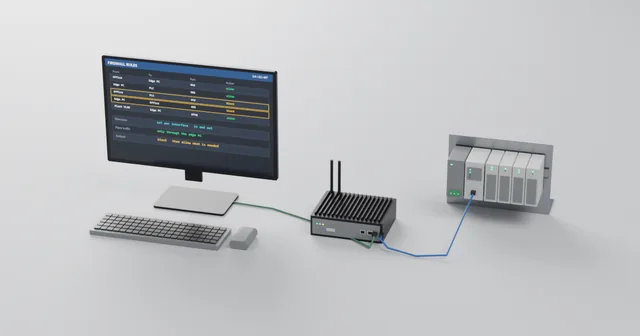
The rule in words: for each destination on the documented list, allow outbound from the router's WAN network on the two transports above, and create no inbound rule, because the modem establishes the tunnel from the inside.
The arithmetic, written out: 2 required transports applied to 1 destination list give 2 outbound allow rules for IT to enter, and 0 inbound requirements give 0 port-forwarding entries. The whole request totals 2 rules and 0 published exposures.
The result: a firewall change of exactly two outbound allow rules from the machine's VLAN to the documented Talk2M destinations, and nothing on the machine network open to the internet.
The decision, with its pass mark: after IT applies the rules and one connection attempt is made, a session record showing an established outbound TCP 443 connection from the router to a documented Talk2M address closes the firewall branch; any remaining failure sits on the device or the account. One safety note belongs here: never answer a failed tunnel by publishing a port forward to the router or its machine network — the outbound design exists precisely so nothing on the machine side accepts unsolicited connections from the internet.
Match the firewall log to the documented destinations #
Give IT the router's WAN address and the exact time of one controlled connection attempt, then read four things in the firewall log:
- Name resolution first: a failure to resolve the Talk2M names is a DNS fault, not a port fault, and it must be repaired before the rules can be judged.
- The TCP session: denied, established or interrupted? A deny names the destination that is still missing from the allow list.
- The UDP side: the tunnel's datagrams leave on UDP 1194, which many firewalls log only as flows rather than sessions; confirm the transport is permitted and flowing.
- The destination restriction: the endpoints live under talk2M.com, but the domain alone is not a complete rule. The manufacturer publishes the full address and URL list in a support document written to be handed to the IT department, and the requirement covers the eCatcher client's connections as well as the router's.
If the firewall shows the session allowed to a documented destination and the tunnel still fails, ask IT whether an authenticated proxy or TLS inspection acts on that VLAN; such a policy can pass the port and still break tunnel establishment, and the comparison to make is with what the router documents about its own connection. The wider pattern of plant remote access squeezed by proxies and inspection is covered in remote SCADA access through firewalls and proxies.
A port number alone has never defined a working rule: source network, destination, transport and return traffic all enter it. Allowing the TCP port toward an unrelated destination provides no Talk2M access at all, and a number documented for another modem line — 50000 appears in some builders' standard requests — describes a different product entirely.
When the router is online but eCatcher still cannot connect #
Once the router reports its Talk2M connection established, stop editing the firewall: no rule change can fix what is now an account or client problem. Check three things, in this order:
- Registration: the modem must be declared to the Talk2M account the machine builder handed over. Compare the identity the router shows locally with the entry in the account.
- Rights: your user must hold access to that specific device. A working device connection grants nothing to every account member automatically.
- The client path: the engineer connects with the eCatcher client from an office or home network, and that network needs the same outbound permissions to the same documented destinations.
If the client session establishes but the machine controller behind the router is unreachable, the failure has moved onto the machine LAN: compare the controller's address and subnet with the router's LAN configuration, then test with the normal engineering software. How a VPN gateway on a controller routes you to the machine LAN walks through that last stretch.
The fix for each failure, case by case #
- WAN address, subnet or gateway wrong: correct the router's WAN setup; the firewall was never involved.
- DNS unreachable from the machine VLAN: repair the DNS path on that network; the rules were never tested.
- Deny logged toward a documented Talk2M destination: IT adds the missing destination and transport to the outbound allow rules from the machine's network.
- Session established to a documented destination and the router still offline: leave the firewall alone; the fault is in the router's own connection diagnostics or its registration.
- Router online, eCatcher cannot connect: registration, user rights or the engineer's own network, checked in that order.
- Session up, controller unreachable: machine LAN addressing behind the router, checked against the router's LAN setup.
Change one layer at a time and repeat one connection attempt per change, so the log that finally shows the established session also tells you which correction did it.
Questions asked
Do both ends of the connection need firewall changes?
Yes, on both networks involved. The router connects out from the machine VLAN and the engineer's client connects out from the office or home network, each making its own connections to the same cloud service. A permission granted to one segment never carries to the other, which is why the destination list goes to IT with the source network named, so each rule set is scoped to its own segment.
Can I check the path by pinging a Talk2M server address?
No. Ping is ICMP echo and the service does not depend on it, so an answering ping to a service address proves only that some host replies to echo requests there. It tests neither of the two transports the tunnel uses. The evidence that settles the question is a firewall session record for the real transports, or the connection state the router itself reports.
What if the machine builder asks for general internet access for the machine?
Ask for the manufacturer's network requirements paperwork instead of an open grant. The support documentation is explicit that only the two outbound ports and the documented destinations are needed, and the Talk2M VPN Server Attribution document is written to be handed straight to the IT department. A blanket internet permission for a machine network is a far larger security change than the service itself requires, and IT can decline it without blocking remote access.
Does a cellular version of the modem remove the firewall question?
A cellular model reaches the service over the mobile carrier's network, so the site firewall never sees its traffic and the outbound port question disappears on that path. It is not automatically the better answer: an independent radio path into the machine network is a decision for the site's security owner, not the installer, and the account, registration and client requirements remain exactly the same on the cellular path.