Troubleshooting
Why a WinCC Flexible ODBC DSN has an architecture mismatch
Short answer
A WinCC Flexible scripting host runs 32-bit, so it can only load 32-bit ODBC drivers; a DSN built with the 64-bit administrator on Windows 7 x64 raises the architecture-mismatch error 2147467259 at connection open. Recreate the DSN in the 32-bit administrator, in the SysWOW64 folder, with a 32-bit SQL Server driver and the same DSN name, then retest inside the runtime.

On this page
Your script fails because of a bitness split, not a SQL Server fault. The scripting host in WinCC Flexible 2008 SP3 is a 32-bit process, and the DSN it opens was built in the 64-bit ODBC Administrator, so the driver registered behind that name is 64-bit. A 32-bit process cannot load a 64-bit driver, and the driver manager refuses the pair at the open call, before any login is attempted. Recreate the DSN in the 32-bit ODBC Administrator, which you start by entering %windir%\SysWOW64\odbcad32.exe, using a 32-bit SQL Server driver, the same DSN name and the same server and database settings. The fix is proven when the script runs inside the runtime and the connection state reads 1.
What the failed open call reports #
Run the same code from a .vbs file in Windows and it opens the DSN and reports Connection OK; run the identical line from the scripting editor in WinCC Flexible on Windows 7 x64 and it stops on the open call. The application had run without this fault on earlier installations under 32-bit Windows XP, where only one ODBC stack exists. With error trapping added around the open call, the failure identifies itself:
Dim cnn
Set cnn = CreateObject("ADODB.Connection")
cnn.Open "DSN=SUPERCOMPACTOR"
If cnn.State = 1 Then
  MsgBox "Connection OK"
Else
  MsgBox "Connection FAILED, state = " & cnn.state
End If
cnn.Close
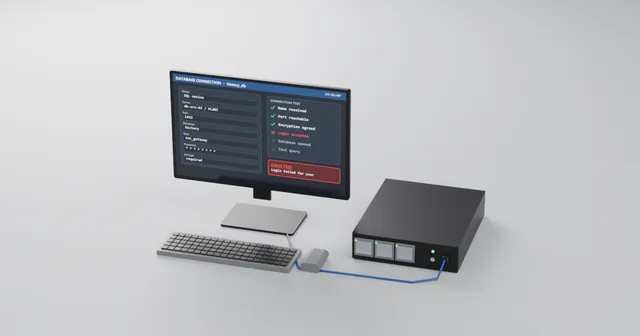
The open call raises error 2147467259 with the text "[Microsoft][ODBC Driver Manager] The specified DSN contains an architecture mismatch between the Driver and Application." That number is the generic failure code HRESULT 0x80004005 quoted without its sign, and you can check the arithmetic: 0x80004005 is 2147500037 as an unsigned value, and 2147500037 - 4294967296 gives -2147467259 as a signed 32-bit integer. Read the message as a verdict on the driver-application pair: the DSN name resolved, the driver manager matched it to a registered driver, and it refused the pair because their architectures differ. Nothing has reached SQL Server yet, so no server-side setting can be the cause.
Why one DSN serves only one bitness #
Windows 7 x64 runs two complete ODBC stacks side by side: a 64-bit driver manager with its own drivers and Administrator, and a 32-bit one. Each Administrator lists only its own drivers and DSNs, and Microsoft documents the split with the exact way in: the 32-bit Administrator is not the one Administrative Tools opens, you enter the full path %windir%\SysWOW64\odbcad32.exe to reach it. The folder name misleads everyone once: on 64-bit Windows, SysWOW64 is where the 32-bit tools live. A DSN created in the default Administrator therefore carries a 64-bit driver reference, and a 32-bit process that asks for that DSN by name receives a driver it cannot load, which is exactly the mismatch in the error text.
The standalone test passed for a structural reason. On Windows 7 x64 the host that starts by default for a .vbs file is 64-bit, so it loads the 64-bit driver without complaint; the WinCC Flexible scripting host is 32-bit, so the identical line fails there. One DSN name, two processes, two verdicts.
| Process | Drivers it can load | Administrator that serves it |
|---|---|---|
| The default .vbs host on Windows 7 x64 (64-bit) | 64-bit | the ODBC Administrator Administrative Tools opens |
| The WinCC Flexible 2008 SP3 scripting host (32-bit) | 32-bit | the 32-bit Administrator started from SysWOW64 |
Checks before you rebuild anything #
- Add error trapping around the open call and read the number and text yourself. The architecture-mismatch text confirms the bitness fault; a login failure, a server-not-found message or a driver-not-found message means a different fault, and the steps below will not cure it.
- Use that message as your bitness probe: a DSN built in the 64-bit Administrator can only produce this error from a 32-bit process, so the process running your script is 32-bit. Never read the host's bitness off the operating system.
- Start the 32-bit Administrator and check both lists. Expected finding before the fix: the Drivers list either already contains a matching SQL Server driver or does not and one must be installed, and the DSN your script names exists only in the 64-bit tool.
- Note the DSN name exactly as the script opens it, plus the server and database the old definition holds; the rebuild repeats them unchanged.
Rebuild the DSN where the runtime can see it #
- Close the WinCC Flexible runtime so no script fires against the DSN while you work.
- Start the 32-bit Administrator by entering
%windir%\SysWOW64\odbcad32.exe, which on this machine expands toC:\Windows\SysWOW64\odbcad32.exe. - On the System DSN tab, click Add and pick a SQL Server ODBC driver from this window's own list. The list you see here is the 32-bit one, and that is the whole point.
- Name the new DSN exactly as the script opens it and enter the same server and database the old definition used, so driver bitness is the only variable that changes.
- Save, start the runtime and run the script. The pass condition is the open call completing and the connection state reading 1, with Connection OK on screen. Run it once more after a full restart of the runtime to confirm the connection survives a cold start.
- Leave or remove the 64-bit DSN as your other 64-bit software requires; from now on you know which Administrator manages it.
Verification and the faults that come next #
A green standalone test proves only that the standalone host can use the DSN it sees; it never says anything about the driver the runtime loads. The verdict that counts comes from inside the runtime, and it has to survive a restart.
If a different message appears once the mismatch is cleared, treat it as a new fault and leave the bitness trail alone. An ODBC failure reporting an SSL Security error 08001 is a TLS negotiation problem between client and server, not a bitness problem; that fault is walked through in fixing an ODBC SSL Security error 08001 on an edge PC. A connection that gets further and stops with SQLSTATE 08004 before any query runs points at server-side access rights, covered in why PI ODBC fails with SQLSTATE 08004 before a query runs. Driver bitness, DSN scope and runtime identity have to point the same way; when they do, this fault class stays closed.
The decision, case by case #
- The open call raises the architecture-mismatch message: the scripting host is 32-bit and the DSN is 64-bit. Rebuild the DSN in the 32-bit Administrator with a matching 32-bit SQL Server driver, the same DSN name and the same server and database, then verify inside the runtime.
- The 32-bit Administrator shows no usable SQL Server driver: install a 32-bit driver that matches your SQL Server release first, then create the DSN there.
- Any other message: the bitness trail is over; follow that message's own fault path instead of changing server settings on spec.
Questions asked
Can a 32-bit application load a 64-bit ODBC driver at all?
No. The driver manager hands a process only drivers of its own architecture, and the refusal happens before any network traffic, on either side of the mismatch: a 64-bit process cannot use a driver registered as 32-bit either. This is documented Windows behavior, not a quirk of one product, so the cure is always the same: a driver matching the application's bitness behind the DSN, registered in the Administrator built for that bitness.
Why does the same DSN work in my standalone test script but not in the runtime?
They are different processes. On 64-bit Windows the host that starts by default for a .vbs file is 64-bit, while the WinCC Flexible scripting host is 32-bit, and each host sees only the DSNs and drivers of its own bitness. Task Manager makes this visible: 32-bit processes carry a *32 suffix in the image name column. A passing test outside the runtime proves nothing about the driver the runtime will load.
Does the DSN name have to survive the rebuild unchanged?
Yes. The script opens the data source by name, so the rebuilt DSN must repeat it character for character, together with the same server and database settings. In the reported case that name was SUPERCOMPACTOR. Change only the driver bitness; if you rename the DSN and edit the script at the same time, you can no longer tell which change cleared the fault.
Should the rebuilt DSN be a System DSN or a user DSN?
A System DSN is registered for the whole machine, so the runtime finds it whichever account starts it. A user DSN lives only inside the profile that created it, so a runtime started as a service or under a different login will not see it at all. Machine-wide scope is the dependable choice for anything that connects unattended, which describes runtime scripting.