Troubleshooting
Why the Flexy SD card goes undetected after a reboot
Short answer
A Flexy that reboots itself and then shows zero external memory has lost the SD card at the end of that boot, and no published fix names the cause; the vendor treated it as a new issue needing a formal case. Capture the event log in the failed state, recover with the reported sequence of script stop and reboot, internet-off reboot, then direct-laptop reboot, and escalate with model, firmware and log.
On this page
- What the failure looks like
- Capture the failed state before you recover
- The reported recovery sequence
- Why the direct-laptop step proves less than it looks
- Rule out the card and the format once
- Worked example: the reported load, 30 tags every 2000 ms
- Escalate with the case the vendor asked for
- Questions asked
When a Flexy reboots on its own and then shows its external memory as zero, the SD card has not come up at the end of that boot, and everything hosted on it goes down with it: the custom web pages, the data storage, and the database posting, which starts throwing IO Error. No published fix names the root cause. When this failure was reported with the event log attached, the vendor's response was that it is not a known issue and that it must go through a formal support case. So the committed path is short: capture the event log while the unit is still failed, recover with the reported three-step sequence, and escalate with the model, firmware version and that log. Recovery is not a repair; the unit will keep rebooting itself until the case explains why.
What the failure looks like #
Everything below is one site's reported experience plus a matching second report, not a vendor-confirmed failure mode:
- The unit reboots unattended after roughly 4 to 5 days of running.
- After that reboot the
ext-memoryvalue shows0: the runtime is not exposing the card. - The custom web pages stored on the card become unreachable, and database posting to it fails with
IO Error. - The fault appeared with both the vendor's own 1 GB industrial card and a consumer Class 10 card, so it is not one defective card.
- The second site sees the same pattern: the card goes undetected after automated unwanted reboots, and one or two manual reboots bring it back.
Read that as two faults. The self-reboot is the first and the one to explain. The card not being detected at the end of that unclean restart is the second; a manual reboot restoring it points at card initialization after the reset, not at a dead card.
Capture the failed state before you recover #
A successful recovery reboot erases the evidence, so the log comes off the unit first:
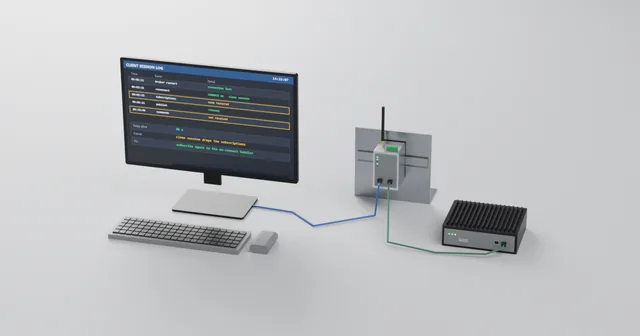
- Download the event log while the card is still undetected; this is the artifact support asks for.
- Record the exact model and firmware version. Flexy faults can be specific to one firmware build, as with a Flexy MQTT client that drops after one publish on firmware 14.0s01, and without the build number support cannot place your unit.
- Record the card's make, capacity and filesystem, the reboot timestamp, whether the script was running, and the network state at the failure.
- Compare the reboot timestamp with upstream power events, such as a feeder dip, a UPS transfer or a breaker operation, because an unattended reset is a fault in itself, whatever it then does to the card.
The reported recovery sequence #
Run the steps in order and stop at the first one that works, noting which step succeeded; that is data for the case.
- Stop the script, disable its autorun setting, and reboot the unit manually. Check detection.
- If the card is still missing, disable the internet connection, keep the script stopped, and reboot again. Check detection.
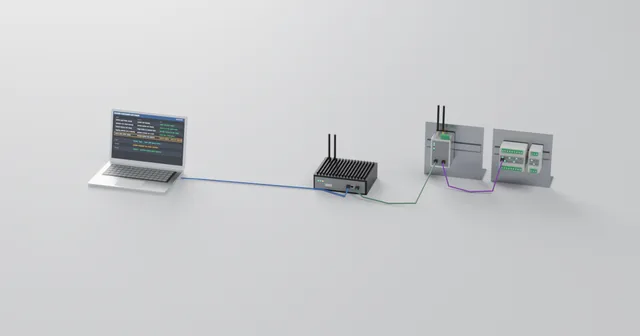
- If both fail, unplug the LAN cable to the central switch, connect the unit directly to a laptop with another cable, keep the script stopped, and reboot again. This step restored detection 90 to 100% of the time at the reporting site.
After every step, verify three things: the ext-memory value is non-zero, the card-hosted pages open, and database posting runs without error. With the script stopped and autorun off, posting is down by design, so schedule the work so the data gap is known, and re-enable autorun only once detection has survived a reboot.
Why the direct-laptop step proves less than it looks #
Step three changes the cable, the peer device, the switch path, internet reachability and the script state, and adds another reboot, all in one move. Detection returning there is a correlation, not proof that the LAN caused the loss. If you want a network theory tested properly, change one variable at a time: the same switch with a different port, then the same port with a different cable, and record each outcome. Until someone does that, use step three for what it is: the recovery that works most often, not the diagnosis.
Rule out the card and the format once #
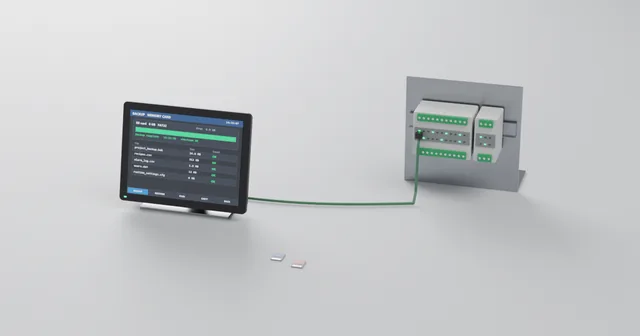
The documented position: official support covers SD cards up to 1 GB, a card as large as 128 GB works when it is properly formatted, and the format must be FAT32 because the unit does not run Windows. Two consequences follow. A reformat erases everything stored on the card, so copy the data off before touching the format. And formatting is not the fix here, because the reporting site lost the vendor's own card, which is the documented configuration. That accessory is a 1 GB industrial SLC card that expands the unit's /usr directory; run your tests with it so the setup matches what support expects. Treat format and capacity as a one-time check, not as the repair.
Worked example: the reported load, 30 tags every 2000 ms #
Inputs #
- 30 polled tags, from the reported configuration.
- A 2000 ms poll period on those tags, from the reported configuration.
- 1219 total utilized tags, reported; how this count relates to the 30 polled tags is unexplained, so quote both numbers in the case instead of adding them.
- 180 Kb of BASIC IDE programming memory, reported.
- A recurrence every 4 to 5 days, reported.
Rule and arithmetic #
The average read rate is the number of polled tags divided by the poll period in seconds:
- 2000 ms = 2 s
- 30 tags ÷ 2 s = 15 tag reads per second
- Halved-rate control test at a doubled period: 30 tags ÷ 4 s = 7.5 tag reads per second
- Recurrence window: 4 days × 24 h = 96 h; 5 days × 24 h = 120 h
Result and decision #
The reported application generates 15 tag reads per second. That is a light load for this class of edge gateway, so do not blame the poll period and do not slow production polling to chase it. If support asks for a workload test anyway, run the halved rate; if the self-reboot still lands inside the 96 h to 120 h window at 7.5 tag reads per second, the workload theory is excluded and the case stands on the failure-state log.
Escalate with the case the vendor asked for #
Open the case through the vendor's support channel or the local representative, and put every measured fact in it:
- The event log captured in the failed state, so support can correlate reboot, storage-detection, script and communications events instead of blaming any single one.
- The model, firmware version, card make, capacity and filesystem.
- The configuration numbers from the worked example: both tag counts, the poll period and the programming memory.
- The recurrence interval and which recovery step worked, each time.
If the case ends with the unit replaced, an industrial mini PC can take over the data-collection and publishing role at the same point in the network.
Questions asked
Is the SD card dead once the Flexy stops seeing it?
No. In both reports the same card came back after manual reboots, which rules out a dead card; the loss happens while the card initializes after an unclean reset. Replace the card only when it stays invisible after a full power-off restart with the script stopped, or when a PC card reader cannot read it either.
Why does the second recovery step disable the internet connection?
It removes WAN traffic and remote sessions from the restart, so the boot is tested with the LAN alone. Unlike the direct-laptop step, it changes one condition at a time, which keeps the outcome usable as evidence when you tell support which step restored detection.
What should I do if the SD card is never detected again?
Power the unit off completely, reseat the card, and check the slot for dust or damaged contacts, then try the card in a reader on a separate PC. If that PC reads it, the suspicion moves to the unit's slot or hardware and belongs in the vendor case. If nothing reads it, the card has failed; restore its contents from the copy you keep off the card.
Can the site keep running while the vendor case is open?
Yes, with conditions. The web pages and the data storage live on the card, so pulling it takes the application down; keep it installed and accept the recovery sequence after each event instead. Capture the failed-state log before every recovery, re-enable autorun only when detection survives a reboot, and timestamp each unplanned reset so the case collects matching logs from every occurrence.